
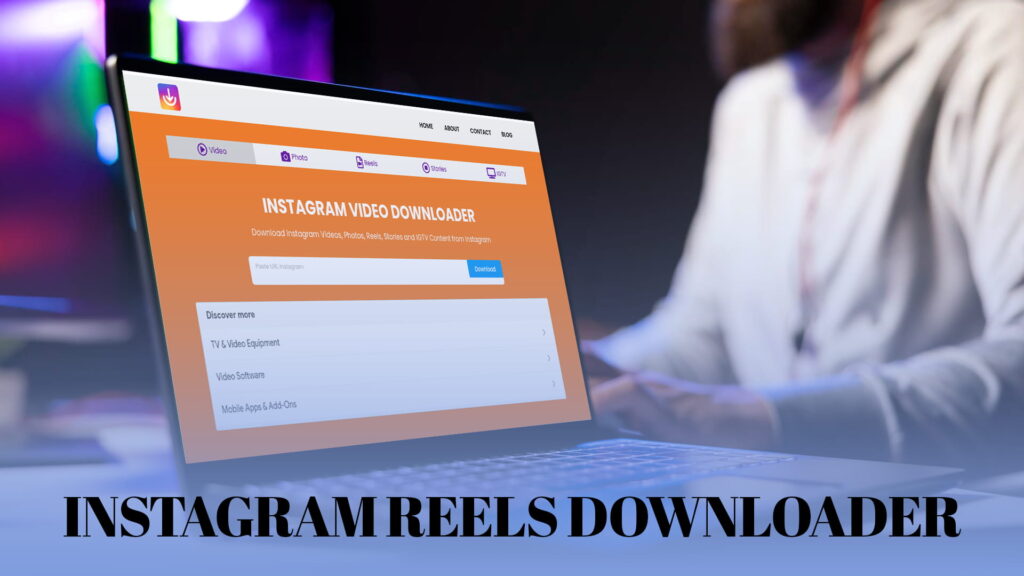
Reels are the most-watched thing on Instagram, and the hardest to keep. You’ll swipe through dozens in a sitting, hit one worth saving, and go looking for a download button that doesn’t exist. Instagram lets you bookmark a Reel inside the app, but that just tucks it away behind your login, where it won’t play offline and vanishes the moment the creator deletes it or switches to private. If you want the actual video, you need an Instagram Reels downloader.
A Reels downloader takes the link to a Reel and gives you back the real file, an MP4 you can play offline, keep for good, and share anywhere, ideally clean with no logo stamped across it. No screen recording, no quality loss, no fighting with the app. Whether you want to save a Reel for later, back up your own content, or keep a clip before it disappears, this is the tool for it. Here’s how it works, what to expect, and how to get a clean download every time.
What a Reels Downloader Does
The job is simple. You hand it a public Reel’s link, it reads that link, pulls the video straight from Instagram’s servers, and returns the file. Because it works from the public URL rather than the app interface, you get the Reel at its original quality, not a compressed screen capture with interface bits around the edges.
The better tools go further and strip nothing, add nothing, so what you get is the clean source video. That’s the difference between a Reels download you can actually reuse and a watermarked, re-compressed copy that looks worse than the original. When people search for how to download a reel without watermark, this clean-file behavior is exactly what they’re after.
How to Download a Reel
The process takes about fifteen seconds once you’ve done it, and it’s the same on any device.
Step 1: Copy the Reel’s link
Open Instagram and go to the Reel. Tap the three-dot menu (on Reels it sits on the right-hand action bar, below the other icons), then tap Copy Link. Instagram confirms with a small “Link copied” message. If you’re watching Reels in a browser instead of the app, the link is already in your address bar, ready to copy.
Step 2: Paste it into the downloader
Open a IG DOWN, which handles Instagram Reels, videos, photos, Stories, and IGTV without asking you to log in. Paste the Reel link into the box and run it. Within a second or two it pulls back the video, usually with a preview and a download button underneath. That’s the whole of it, paste the link and the tool does the fetching.
Step 3: Save the video
Tap download, and the MP4 saves to your device. On a phone it lands in your photos or Downloads folder depending on your system, and on a computer it drops into Downloads. From there you can play it, edit it, or send it on. If speed is what you care about most, the guide on how to download Instagram Reels in seconds trims the process to its essentials.
Getting Reels Without a Watermark
This is the part that trips people up, so it’s worth being clear. There are two different “watermarks” in play with Reels, and only one of them a downloader can help with.
The first is the tool’s own watermark. Some downloaders re-encode the Reel and stamp their logo onto it, leaving you with a branded, slightly fuzzier file. A good downloader never does this, handing back the clean source video instead. This is the watermark you can and should avoid by choosing the right tool. If clean output matters to you, the rundown on how to download Instagram videos and photos without a watermark explains how to spot the tools that brand everything versus the ones that leave the file alone.
The second is any watermark the creator baked into the video themselves, such as a TikTok logo or their own handle burned into the footage. No downloader can remove that, because it’s part of the video’s actual pixels, not something added on download. Being honest about the difference saves you chasing a tool that promises to erase something that can’t be erased. To save a reel video clean, pick a downloader that adds no watermark of its own, and accept that anything the creator burned in stays.
What Determines the Quality of a Saved Reel
People often ask how good a downloaded Reel will look, and the honest answer is that it depends on the source. A downloader returns whatever file Instagram is serving, so a Reel the creator uploaded in crisp, high resolution comes back crisp. A Reel that was already compressed, or shot on an older phone, can only come back as good as it started, because no tool adds detail that was never captured.
What a good downloader promises is that it won’t make things worse. It won’t re-compress the video, drop the resolution, or brand it with a logo, which are exactly the shortcuts weaker tools take. So the quality question comes down to two factors: the original upload, which you can’t control, and whether your downloader leaves that file untouched, which you can. Choose a clean tool and you always get the best version available. A quick tell is file size, since a very small file for a full-length Reel usually means it was squashed on the way down.
Reels, Videos, and Everything Else in One Place
Most people who start out wanting to save Reels quickly realize they want to save other things too: a feed video here, a photo there, a Story before it expires. The advantage of a full Instagram downloader is that it handles all of it from the same place, so you’re not hunting for a different tool every time the content type changes.
A Reel, a standard video, and an IGTV clip all download through the same paste-the-link flow, and a complete tool adds photos, carousels, and Stories to that list. Settling on one dependable downloader that covers the whole platform is less hassle than juggling a handful of single-purpose sites, and it means the process is identical no matter what you’re saving. Once the habit is muscle memory for Reels, it works the same for everything else.
Works on Every Device
An online Reels downloader beats an app because it doesn’t care what you’re using. The same web tool works on Android, iPhone and iPad, Windows, and Mac, all from the browser you already have. Nothing to install, nothing to update.
The only difference is where the file lands. On Android and computers, the Reel drops into your Downloads folder and appears in your gallery. On iPhone, browser downloads go to the Files app first, and you save the video into your Camera Roll from there with one extra tap. The download itself is identical everywhere, so you can grab a Reel from whatever screen you happen to be on.
Why Use an Online Tool Instead of an App
For most people a browser-based downloader is the smarter choice. There’s nothing to install, so you’re not surrendering storage or permissions. It works across all your devices with a single bookmark. It’s free for standard public Reels. And a good one never asks you to log into Instagram, which keeps your account out of it entirely.
That login point matters. No legitimate Reels downloader needs your Instagram password to save a public Reel, and any that demands it is after your account rather than helping you. Stick to tools that work from a pasted link with no sign-in. If you want to compare your options, the breakdown of the best Instagram downloader for Reels and videos covers what separates a reliable, no-login tool from one stuffed with ads and broken half the time.
Saving Several Reels at Once
If you’re a creator, editor, or someone building a reference library, saving Reels one at a time gets old. The browser method still works for batches, you just copy a link, paste, download, and move to the next. A small trick that helps: keep two tabs open, Instagram in one and the downloader in the other, and flip between them. You can clear a dozen Reels in a few minutes that way.
For heavier use, some tools handle queues and repeated saves more gracefully than others, so browsing a solid free Instagram downloader online is worth it if bulk saving is part of your routine rather than a one-off.
What People Use a Reels Downloader For
The reasons are practical. Offline viewing is the big one, since a saved Reel plays anywhere with no signal while a bookmark just spins. Backing up your own Reels is another, because creators lose access to old posts constantly when they change phones or an account gets locked, and Instagram doesn’t always keep a clean copy for you. People save Reels as inspiration for their own content, editors pull reference clips, and plenty of folks just want to keep something funny or useful before it vanishes from their feed.
The consistent limit across all of these is privacy. A Reel on a private account you don’t follow can’t be accessed, and no honest tool changes that. Public Reels are where a downloader works cleanly.
A Few Practical Tips
Save on Wi-Fi when grabbing several Reels, since the files add up on mobile data. Rename anything you’re keeping, because video_furniture_482.mp4 beats a folder of identical auto-names when you’re hunting for one clip later. Check the audio, since a Reel occasionally saves silent when the original used licensed music that got stripped. And back up the ones that matter, because a file on a single device is one spilled coffee away from gone.
If a link won’t pull, the usual suspects are a private account, a deleted Reel, or a mangled link. Re-copy it cleanly and try again first, since that fixes most failures. If a public Reel still won’t download, screen recording is a fallback, though it costs quality, so treat it as a last resort rather than a first choice.
Skip the Sketchy Apps
Search “Reels downloader” in an app store and you’ll find dozens of apps, most of which aren’t worth the storage. A browser-based tool does the same job without asking for install permissions, background access, or, in the worst cases, your Instagram login. That login demand is the red flag: no legitimate Reels downloader needs your Instagram password to save a public Reel, and the ones that ask are the ones that get accounts stolen. If a tool works from a pasted link with no sign-in, you’ve already avoided the whole risky category, and you didn’t have to install anything to do it.
Doing This the Right Way
Worth saying plainly. Saving a public Reel for personal use, keeping your own content, or downloading something you’ve been given permission to use is reasonable. Taking a creator’s Reel and reposting it as your own, or using it commercially without asking, isn’t, and downloading the file doesn’t change who made it. Instagram’s rules and ordinary copyright still apply once the Reel is on your device, and reposting someone’s work without credit is a fast way to lose goodwill even when it isn’t strictly illegal.
Most people using a Reels downloader are keeping a clip they liked, backing up their own posts, or saving inspiration, and that’s exactly what the tool is for.
The Short Version
If you scrolled to the end, here’s the whole thing. Instagram gives you no way to save Reels to your device, and its bookmark only keeps a link inside the app. An Instagram Reels downloader closes that gap: copy the Reel’s link, paste it into the tool, and download the MP4 at full quality. Choose one that adds no watermark of its own and never asks for your login, and you’ll get a clean file every time, though anything the creator burned into the video themselves will stay. It works on Android, iPhone, Windows, and Mac from the same browser.
Once you’ve got a Reels downloader you trust bookmarked, saving any Reel stops being a hassle and becomes a fifteen-second habit.