
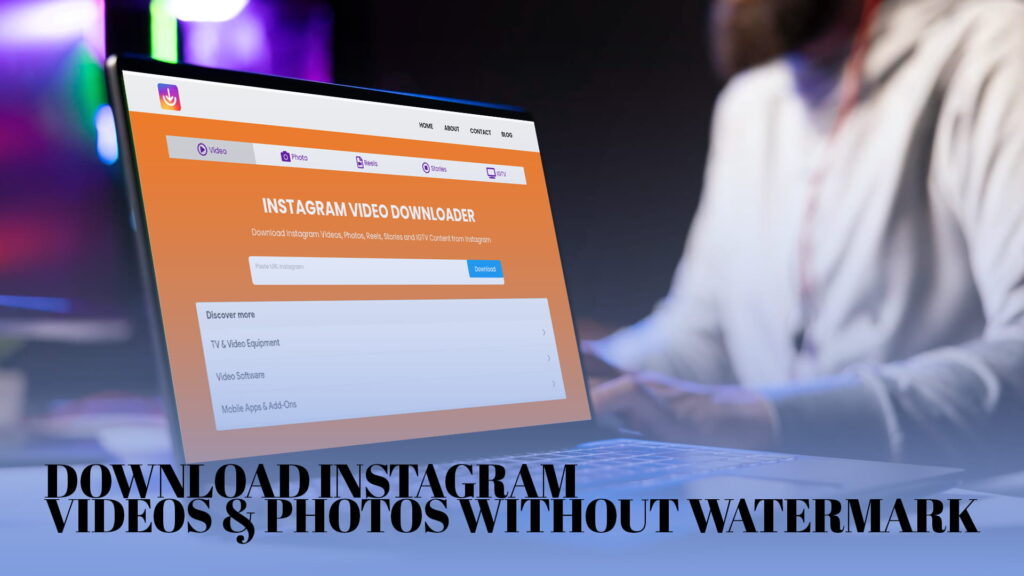
You are scrolling through Instagram and you come across a video that genuinely stops you in your tracks. Maybe it is a cooking tutorial you want to follow later. Maybe it is a travel clip from a destination you are dreaming about. Maybe it is a funny moment a friend posted that you want to save before it disappears. You tap the share button, looking for a save option, and it is simply not there.
Instagram does not give you a built-in way to download content. You can bookmark posts within the app, but those bookmarks disappear if you lose account access or reinstall the app. You cannot save a Reel to your camera roll with a single tap. You cannot download a Story before it vanishes after twenty-four hours. You certainly cannot save an IGTV video for offline viewing without jumping through hoops.
This gap between what Instagram offers and what users actually need has existed since the platform launched, and it has never been properly addressed. The platform’s approach to content saving has always prioritized keeping users inside the app rather than giving them real control over the content they want to keep.
IG DOWN exists to fill that gap. It is a free online tool that lets you download Instagram videos, photos, Reels, Stories, and IGTV content directly to your device — without watermarks, without creating an account, and without installing any software.
This article covers everything you need to know about downloading Instagram content, why people do it, what kinds of content you can save, and how IG DOWN makes the whole process faster and simpler than anything else available.
Why Instagram Does Not Let You Save Content Natively
Instagram has made various attempts over the years to give users more control over their experience on the platform. The bookmarks feature, the “Add to Collection” option, and the ability to save posts privately within the app are all partial solutions. But none of them solves the core problem: you cannot download content to your own device and own it outright.
The reasons for this are partly about user retention and partly about intellectual property. Instagram wants you to keep coming back to the app to see your saved content. If you could download everything and view it elsewhere, you might spend less time inside the platform — and less time inside the platform means fewer ads seen, less engagement tracked, and less data collected.
There is also the matter of content ownership. Someone uploaded every photo and video on Instagram. By not providing an easy download mechanism, Instagram places a soft barrier between content and the devices of people who did not create it. This is meant to protect creators, though in practice it mainly inconveniences regular users while doing little to stop those who are determined to save content by other means.
What this means for you as a user is that the content you want to save — recipes, workout videos, travel inspiration, educational clips, funny moments, music performances — is technically right in front of you but practically out of reach the moment you close the app or the post is deleted.
The Watermark Problem
When you look for Instagram download tools, you quickly run into one common frustration: watermarks.
Many tools that claim to let you download Instagram content will stamp their own branding onto the file. You download a clean, crisp video, and it comes back to you with a logo or website address pasted across the corner. Sometimes the watermark is subtle. Sometimes it covers a significant portion of the frame. Either way, it renders the downloaded content less useful, especially if you plan to use it for anything beyond personal viewing.
Why do tools add watermarks? The answer is usually marketing. A tool that watermarks every download it processes is essentially turning its users into a free advertising channel. Every time someone shares or re-posts a watermarked download, the tool gets a mention. It is a growth strategy, not a technical necessity.
IG DOWN does not work this way. Content downloaded through IG DOWN comes to your device exactly as it appeared on Instagram — no logo, no watermark, no overlaid text. The video you download is the video that was posted. The photo you save is the photo as it was uploaded. Nothing is added, and nothing is removed.
This matters because the whole point of downloading content is to have a clean, usable copy of it. A watermarked version is a compromised version.
What You Can Download with IG DOWN
IG DOWN covers the full range of Instagram content types. This is worth spelling out clearly because different content types on Instagram require different approaches, and not every download tool handles all of them equally well.
Instagram Videos
Standard video posts on Instagram are the most commonly downloaded content type. These are the videos that appear in the main feed, ranging from short clips to longer videos. IG DOWN downloads them in their original resolution, meaning you get the same quality that was uploaded — not a compressed or reduced version.
Instagram Photos
Photos are the original Instagram content format, and they remain enormously popular. IG DOWN saves Instagram photos at their full resolution. This is important because Instagram compresses photos when displaying them in the app, but the download should reflect the best available quality. Whether it is a single photo or a carousel post with multiple images, IG DOWN handles it.
Instagram Reels
Reels have become one of Instagram’s most-used features since their introduction. Short-form video content, typically between fifteen seconds and ninety seconds, makes up a huge portion of what people discover and want to save on Instagram. IG DOWN downloads Reels without the moving sticker elements or on-screen text that Instagram adds in some contexts, and crucially, without any watermark that other tools attach.
Instagram Stories
Stories disappear after twenty-four hours. That impermanence is built into Instagram’s design, but it also means that content you want to keep will be gone if you do not act quickly. IG DOWN lets you download Stories before they vanish. Whether it is a short video clip, a photo with text overlay, or a boomerang, Stories can be saved as long as they are still live. This is one of the most practically useful features IG DOWN offers, because the time pressure on Stories makes saving them genuinely urgent.
IGTV Content
IGTV was Instagram’s push into longer-form video content. While the standalone IGTV app has been discontinued, IGTV videos continue to exist and are accessible through Instagram profiles. These longer videos — tutorials, interviews, mini-documentaries, extended performances — are often the most information-dense content on Instagram, and being able to download them for offline viewing or later reference is highly valuable. IG DOWN handles IGTV downloads with the same ease as shorter content types.
How to Download Instagram Content Using IG DOWN
The process is designed to be straightforward enough that anyone can do it on the first try without instructions.
The first step is finding the content you want to download inside the Instagram app or website. Open the post, Reel, Story, or IGTV video you want to save. On mobile, tap the three dots in the upper right corner of the post and select “Copy Link.” On a desktop browser, copy the URL directly from the address bar.
The second step is opening IG DOWN in your browser. You do not need to install anything or create an account. The tool runs entirely in the browser and is accessible on any device — Android phones, iPhones, tablets, Windows computers, Macs, and Chromebooks all work.
The third step is pasting the link into the input field on IG DOWN and starting the download. The tool retrieves the content and presents you with the download option. For video content, you may have the option to select the quality or resolution you want. For photo carousels with multiple images, IG DOWN presents all the available images so you can choose which ones to save.
The fourth step is saving the file to your device. On a phone, the file saves to your camera roll or downloads folder. On a desktop, it saves wherever your browser is configured to put downloaded files.
The entire process takes less than a minute once you are familiar with it. After doing it two or three times, it becomes second nature.
Why People Download Instagram Content
The reasons people want to save Instagram content are as varied as the content itself. A few of the most common situations are worth walking through.
Saving content before it disappears is probably the most urgent motivation. Stories vanish after twenty-four hours by design. An account might be deactivated or made private. A post might be deleted by the original creator. Content that is available today might genuinely be gone tomorrow, and if you want to keep it, you need to act while it is still there.
Offline access is another major reason. Mobile data is limited for many people. Watching a video repeatedly while connected costs data. Downloading it once means you can watch it as many times as you want without any additional data cost. For people traveling internationally, in areas with poor connectivity, or simply trying to manage their data usage, offline access is a practical necessity.
Content repurposing comes up frequently for content creators, marketers, and social media managers. When you have permission to reuse someone’s content — because you collaborated on it, because it features your own product, because the creator has explicitly authorized sharing — you need a clean copy to work with. A watermarked download is not usable for professional purposes. IG DOWN provides clean downloads that are actually usable.
Research and reference are underappreciated reasons. Students, journalists, researchers, and analysts regularly need to capture social media content as evidence or reference material. A video that documents a public event, a post that reflects a particular trend, or a Reel that illustrates a cultural moment can all have genuine documentary value. Saving a clean copy through IG DOWN preserves that content in a usable form.
Personal archiving motivates a lot of people. Memories shared on Instagram — a wedding, a graduation, a trip, a personal milestone — matter beyond the platform itself. If a friend or family member shares a video of a moment that is important to you, having your own copy of that video is something most people would want regardless of how the platform handles content storage.
Learning and skill development is another category. Tutorial videos, educational content, demonstration clips, and how-to Reels represent enormous value for people who want to learn. Being able to download a tutorial and watch it while you practice the skill — rather than needing internet access and app access simultaneously — makes learning genuinely more convenient.
Using IG DOWN on Different Devices
IG DOWN is designed to work across all the devices people actually use to access Instagram.
On Android phones, the process works through any mobile browser. After copying the Instagram link and pasting it into IG DOWN, the file downloads to your device. Android is generally flexible about where files are saved, and most downloads end up in the Downloads folder or directly in the gallery depending on the file type and browser settings.
On iPhones and iPads, downloading through a browser works slightly differently because of how iOS handles file management. Videos can be saved to the Files app or directly to the Photos app depending on how the download is handled. IG DOWN is optimized to work smoothly on iOS browsers, and saving to Photos is straightforward once you are familiar with the iOS prompts that appear during download.
On Windows and Mac computers, downloads work exactly as any other file download — you get a Save As prompt or the file goes directly to your Downloads folder, depending on your browser settings. This is the simplest experience of all, and the downloaded files are immediately accessible and usable.
On tablets — whether Android tablets or iPads — the process is the same as on the corresponding phone operating system. The larger screen actually makes the process more comfortable since you have more space to work with.
The browser-based approach means IG DOWN works without any app installation. This is a significant advantage because it means you are not required to grant any permissions to access your camera, contacts, or other personal data. You visit the site, use the tool, download your file, and that is the entire interaction.
IG DOWN vs. Other Instagram Download Tools
There are quite a few tools that claim to let you download Instagram content. Not all of them deliver equally, and the differences matter.
The most common issue with inferior tools is the watermark problem already discussed. Any tool that slaps its branding onto your downloaded content is not fully respecting your needs as a user. IG DOWN does not do this.
A second issue with some tools is unreliability. Instagram periodically updates its systems, and download tools that are not actively maintained stop working when those updates happen. Links that used to work return errors. Downloads fail halfway through. IG DOWN is maintained and updated to keep pace with Instagram’s infrastructure.
A third issue is the range of supported content. Some tools only handle standard video posts and cannot download Reels, Stories, or IGTV content. IG DOWN supports all of Instagram’s main content formats, which means you do not need different tools for different types of content.
A fourth issue is safety. Some free download tools are not what they appear to be. They exist to harvest data, serve excessive advertising, redirect to malicious websites, or install unwanted software. Using unknown tools from untrustworthy sources carries genuine risk. IG DOWN is a purpose-built tool designed to do exactly what it says without any hidden agenda.
A fifth issue is speed. Some tools are slow — they process downloads server-side and make you wait for long periods before a download link is available. IG DOWN processes downloads quickly, which matters when you are trying to save a Story before it expires.
Understanding Instagram Content Quality
When you download Instagram content, the quality of what you receive depends on how it was uploaded in the first place.
Instagram compresses uploaded content. When a creator uploads a 4K video, Instagram transcodes it to a lower resolution for serving to users. The exact resolution depends on the content type and the upload settings, but typically Instagram delivers 1080p video for standard posts and Reels, with some older content at lower resolutions.
Photos are also compressed by Instagram, though the original upload quality affects the final result. High-resolution photos uploaded by photographers tend to look noticeably better than low-resolution phone snapshots even after Instagram’s compression.
IG DOWN retrieves content at the best available quality — the highest resolution version that Instagram serves. This means you are getting the best version of the content that exists on the platform. You are not getting a further-degraded copy; you are getting what Instagram serves to its users.
For most practical purposes — watching on a phone or tablet, sharing with friends, using as reference material — the quality available through IG DOWN is entirely satisfactory. Creators who need absolutely pristine quality for professional production use will typically have their own copies of the original uploads, but for the uses most people actually have, the quality is excellent.
Responsible Use of Downloaded Instagram Content
Downloading content and using it responsibly are two different things, and the distinction matters.
Content on Instagram belongs to the person who created and uploaded it. Downloading a video or photo for personal use — saving a tutorial to watch later, keeping a memory a friend shared, storing reference material for your own research — is generally considered acceptable and is what most people who download Instagram content actually do.
Using downloaded content publicly without permission is a different matter. Re-posting someone else’s video to your own account or website, using someone’s photo in your marketing materials, incorporating someone’s content into a commercial project without their knowledge — these activities can infringe on the original creator’s rights and should not be done without explicit permission.
The tool that enables the download is not responsible for what users do with the content after downloading. IG DOWN provides the capability to save content that is publicly accessible on Instagram. What you do with that content once it is on your device is your responsibility, and respecting the work of the people who created it is both legally and ethically important.
For creators who want their content shared, many actively encourage downloads and reposts, sometimes explicitly in their captions or bios. When a creator says “Feel free to share this,” they are giving permission. When there is no such permission, it is better to ask before sharing rather than assume.
The Value of Having Your Own Copies
There is something genuinely valuable about having your own copies of digital content you care about, beyond just the convenience of offline access.
Platforms change. Accounts get suspended. Content gets removed. Instagram itself might not look the same — or exist in the same form — in five years. Content that you only have access to through a platform is content you can lose without warning and without recourse. Content that you have downloaded and stored on your own device or backed up to your own cloud storage is content you own in a practical sense, regardless of what happens to the platform.
For personal memories — the video from a family gathering, the photos from a trip with friends, the Reel documenting a significant moment — having your own copy is simply the right approach. Relying on Instagram to preserve those memories is relying on a commercial platform whose interests do not necessarily align with yours.
For professional reference material — content you are studying, analyzing, or learning from — having local copies means your workflow does not depend on internet access or platform availability.
For content creators who collaborate with others — who appear in each other’s posts, who build on each other’s work, who document shared projects — having your own copies of shared content is basic professional practice.
IG DOWN makes it easy to build that personal archive. One link, one paste, one download. The content is on your device and stays there regardless of what happens on Instagram.
What Makes IG DOWN Worth Using
Thousands of tools on the internet claim to do similar things. What makes a tool actually worth using consistently comes down to a few things: it works reliably, it does what it says without tricks or hidden costs, it is fast enough to not be frustrating, and it handles the full range of what you need.
IG DOWN meets all of those criteria. It handles videos, photos, Reels, Stories, and IGTV content. It delivers downloads without watermarks. It does not require registration or payment. It works on any device through a browser. It is fast enough that saving a Story before it expires is genuinely feasible. And it does not try to do anything beyond the single task it was built for.
That last point is worth noting. There is a category of tools that are theoretically built for one purpose but actually exist to harvest email addresses, serve excessive advertising, redirect to affiliate offers, or do other things that benefit the tool more than the user. IG DOWN is built for the user. The purpose is to download Instagram content, and that is what it does.
Visit IG DOWN and try it for yourself. Paste any public Instagram link and have the content on your device in under a minute. No account needed, no cost involved, and no watermark on what you download. Just clean, fast access to the Instagram content you want to keep.