
Instagram is one of the biggest platforms in the world right now. Billions of people use it every day — scrolling reels, watching videos, browsing photos, catching up on stories. There is genuinely good content on there. Tutorials, travel clips, comedy reels, news updates, motivational videos, and cooking guides. People find things they want to keep.
And then they realize Instagram gives them no easy way to do it.
The platform lets you “save” posts inside the app, which really just bookmarks them. The actual file never lands on your device. If the original post disappears, your bookmark goes dead. If you lose access to your account, everything you “saved” is gone. There is no download button. There is no export option for most content types.
This is where a proper Instagram downloader comes in — and why IG DOWN has become a go-to option for people who actually want the file, not just a bookmark.
This guide covers what makes a good Instagram downloader, why IG DOWN works so well for reels and videos specifically, and how to use it to save any Instagram content you want.
What to Look for in an Instagram Downloader
Not all Instagram downloaders are built the same. Some are genuinely useful. Others are cluttered with ads, demand your login credentials, add a watermark to every file, or download videos at a fraction of the original quality. Before getting into IG DOWN specifically, it helps to know what separates a good tool from a bad one.
No watermark. This is non-negotiable for most people. A lot of free downloaders stamp their own logo or website address on every file you download. If you are saving your own reel to repost somewhere else, a random tool’s watermark makes your content look like someone else’s. If you are saving a video for personal use, the branding is just visual noise. A good downloader leaves the file clean.
No login required. Any tool that asks for your Instagram username and password should raise an immediate red flag. Your login credentials are the keys to your account. Handing them to a third-party tool is a real security risk. A legitimate downloader works without ever needing to know who you are.
Original quality. Downloading a 1080p video and getting back a pixelated 360p file defeats the purpose. The best tools pull the file at the same quality it was uploaded.
Supports all content types. Reels, regular videos, photos, stories, IGTV — they all have slightly different formats on Instagram’s end. A tool that only handles one or two of these is limited. The best downloader handles all of them through the same simple process.
No installation required. Apps and software installs create friction. A browser-based tool that works immediately, on any device, is more practical for most people.
Actually free. Some tools offer a free tier with heavy restrictions and push you toward a paid plan. A tool that is genuinely free with no hidden catch is worth more than one that calls itself free but gates the useful features.
IG DOWN hits all of these. That is why it makes sense to talk about it in the context of finding the best Instagram downloader.
What Is IG DOWN?
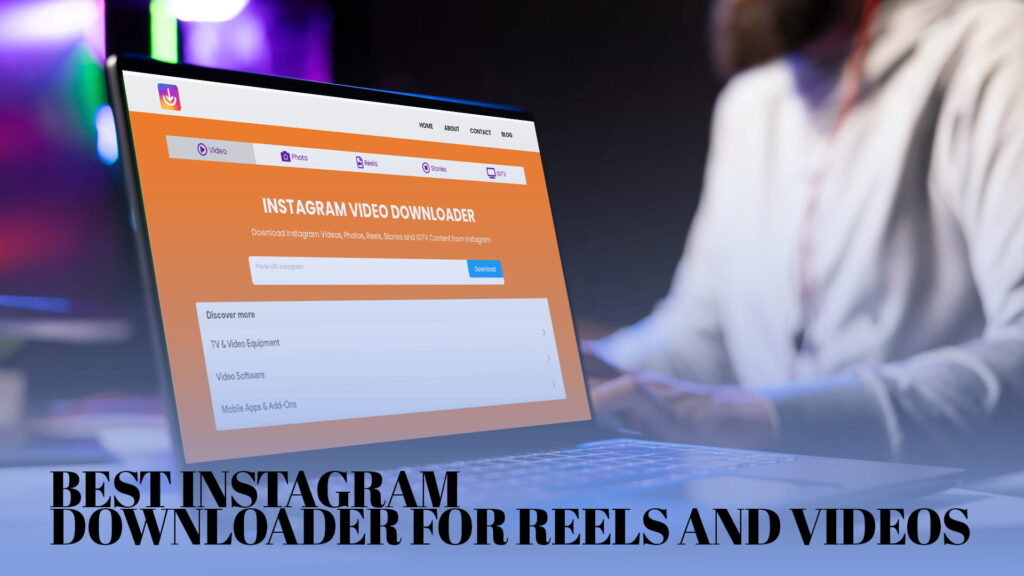
IG DOWN is a free, web-based Instagram downloader. There is no app to install. There is no account to create. You go to IGDown.org, paste an Instagram link, and download the file. It works on phones, tablets, and computers. It works in any modern browser.
It supports the full range of Instagram content:
- Instagram Videos (feed posts)
- Instagram Photos (single images and carousels)
- Instagram Reels
- Instagram Stories
- IGTV content
All downloads are clean — no watermark added by the tool. The files come out in standard formats that work everywhere. Videos download as MP4. Photos download as JPG.
The whole process takes under a minute.
Why Reels Are Different — and Why That Matters for Downloaders
Reels have completely changed how people use Instagram. When they launched, they were a response to TikTok — short, punchy, algorithmically pushed videos meant to reach beyond your existing followers. They became Instagram’s most-watched format almost immediately.
What makes reels interesting from a downloading perspective is that they are a separate content type with their own link structure on Instagram. Not every downloader handles them correctly. Some tools that work fine for regular feed videos choke on reels, returning errors or downloading broken files.
IG DOWN was built to handle reels properly. The download process is identical to any other content type — copy the link, paste it, download — but the tool correctly identifies the reel format and pulls the file cleanly. You get the full reel, with audio, at the original quality, as an MP4 file.
This matters for creators especially. Reels are the format most likely to go viral on Instagram. They are also the format creators most often want to repurpose on TikTok, YouTube Shorts, or other platforms. Having a reliable tool to pull a clean reel file — without the tool’s watermark sitting in the corner — is genuinely useful for anyone who makes content regularly.
How to Download Instagram Reels Using IG DOWN
Here is the process, step by step.
Step 1 — Find the reel you want to download
Open Instagram on your phone or in a browser. Navigate to the reel.
Step 2 — Copy the reel link
On mobile, tap the three-dot menu on the reel (or the share button) and choose “Copy Link.” On desktop, click the three dots on the reel post and select “Copy Link.”
Step 3 — Open IG DOWN
Go to IGDown.org in your browser. You do not need to log in or create an account.
Step 4 — Paste the link
There is an input field on the page. Paste the link you copied from Instagram.
Step 5 — Download the file
Click the download button. IG DOWN fetches the reel and presents a download option. Click it, and the MP4 file saves to your device.
On a phone, it typically goes to your Downloads folder or your gallery, depending on your device settings. On a computer, it goes to your default downloads location.
The whole process is about 30 seconds.
How to Download Instagram Videos
Regular Instagram videos — the ones posted in someone’s feed rather than formatted as reels — work exactly the same way in IG DOWN.
Find the video on Instagram, copy the link, paste it into IG DOWN, and download. The result is an MP4 file at the original upload quality.
One thing people sometimes wonder: does IG DOWN work for videos from any public account, or just specific ones? It works for any public account. The account does not have to be a creator or brand. If the account is public and the video is there, IG DOWN can fetch it.
The only limit is privacy. Videos from private accounts that you do not follow are not accessible. That is not a limitation of IG DOWN specifically — it is how Instagram’s privacy settings work. No downloader tool can access private content that the platform has restricted.
Downloading Instagram Photos with IG DOWN
Photos are often overlooked when people talk about Instagram downloaders, but they come with their own set of frustrations.
Taking a screenshot of an Instagram photo loses quality. The screenshot captures what your screen is displaying, which is a compressed, screen-resolution version of the original. If the photo was uploaded at full resolution, your screenshot is not capturing that.
Long-pressing a photo on a phone to save it does not work on Instagram — the platform intentionally does not offer that option.
IG DOWN downloads photos as actual JPG files at the original upload resolution. You get what was actually posted, not a screen capture of it.
For carousel posts — those Instagram posts with multiple photos that you swipe through — IG DOWN handles the whole thing. You can download all the images from a carousel post, not just the first one.
Saving Instagram Stories Before They Disappear
Stories are the most time-sensitive content on Instagram. They vanish after 24 hours unless the account owner manually saves them to highlights. If you see something in a story you want to keep, you have a short window.
IG DOWN supports story downloads. The process is the same: get the story link, paste it into IG DOWN, and download the file.
For your own stories, this is a solid habit. You can archive stories natively in Instagram, but that keeps them inside the app. Having the actual file on your device means you control it — you can edit it, share it through other channels, or just keep it without depending on Instagram’s servers or your account staying active.
For public accounts — brands, news organizations, public figures — stories sometimes contain announcements, event coverage, or time-sensitive information worth preserving.
Downloading IGTV Content
IGTV is Instagram’s long-form video section. While it never reached the cultural saturation of reels, it still hosts a significant amount of genuinely useful content — interviews, tutorials, mini-documentaries, and long-form creative work.
These videos can run anywhere from a couple of minutes to an hour. That makes them ideal for offline viewing. If you find a 45-minute cooking tutorial you want to follow without streaming it, downloading the IGTV file and watching it locally makes more sense.
IG DOWN handles IGTV downloads the same way it handles everything else. Copy the link, paste, download. The file comes as an MP4, and the quality matches the original.
Before downloading a long IGTV video, check your storage. A 30-minute HD video can be several hundred megabytes. Make sure your device has room for it.
Device Compatibility — IG DOWN Works Everywhere
One of the practical advantages of a browser-based tool is that it does not care what device you are using.
iPhone users: Open Safari, Chrome, or any browser, go to IGDown.org, paste your link, and download. Depending on your iOS settings, the file may download to your Files app or prompt you to save it to Photos.
Android users: Open any browser, same process. The file typically downloads to your Downloads folder and may also appear in your gallery.
Windows users: Open any browser, paste your link, download. The file goes to your default Downloads folder.
Mac users: Same process. Any browser works.
There is no operating system restriction, no version requirement beyond a reasonably modern browser, and no installation. If you can open a webpage, you can use IG DOWN.
The Watermark Issue — Why IG DOWN Stands Out
It is worth spending more time on the watermark issue because it is probably the single biggest complaint people have about free Instagram downloaders.
Here is what typically happens with watermarked downloaders:
You download a reel. You want to repost it on TikTok as your own content — content you made. You upload it, and there it is: someone else’s website URL in the bottom corner of your video. Your followers see it. Your reel performs well, and now the name of a random downloader site is getting seen by thousands of people instead of your own branding.
Or you download a video to keep for yourself, and every time you watch it, there is a logo in the corner. It is a small thing that is also an annoying thing.
Some downloaders use this as a lever. They offer the no-watermark version only if you pay for a premium plan. The free version always stamps the file.
IG DOWN does not do this. There is no premium tier for watermark removal. Every download is clean, regardless. You get the file exactly as it exists on Instagram, without any branding from the tool.
IG DOWN and Account Security
Since this comes up: using IG DOWN does not put your Instagram account at risk.
The tool never asks for your username or password. It does not connect to your Instagram account in any way. It only needs the public link to the content you want to download — the same link anyone could paste into a browser and view.
There is no authentication happening between IG DOWN and your account. Your credentials are never part of the transaction.
The only thing you are handing to IG DOWN is a URL. That URL is already publicly accessible by definition. If it were not — if the content were private — IG DOWN could not download it anyway.
This is meaningfully different from some other tools that ask you to “connect” your Instagram account or log in through the tool. Those integrations carry real risks. IG DOWN avoids them entirely by design.
Common Reasons People Use an Instagram Downloader
The use cases for a tool like IG DOWN are broader than they might seem at first.
Saving your own content. This is more common than you might think. People film things on their phone, edit them, post them to Instagram, and then realize they no longer have the original file on their device. Downloading your own posts back through IG DOWN is one of the quickest ways to recover them.
Offline access. Not everyone has consistent internet access. Downloading tutorials, workout videos, or educational content means you can use them without relying on a data connection.
Cross-platform reposting. Creators who build content on Instagram often want that content on TikTok, YouTube Shorts, Pinterest, Twitter, or LinkedIn too. The downloaded file is the same file regardless of where you post it.
Archiving. Social media content disappears. Accounts get deleted, go private, or simply stop existing. If someone’s content matters to you — a photographer you follow, a creator you have watched for years — keeping local copies is a reasonable thing to do.
Research and reference. Journalists, marketers, researchers, and students often need to save social media content as reference material. Having the actual file is more reliable than depending on a link staying active.
Personal memories. People post life moments to Instagram all the time. Saving a friend’s wedding video clip, a family trip reel, or a meaningful story is a personal use that most people find entirely reasonable.
What IG DOWN Cannot Do — Being Honest About Limitations
Every tool has limits. Being upfront about them is more useful than overselling.
Private content is not accessible. IG DOWN can only download content from public accounts. If an account is set to private and you do not follow it, the link will not work for downloading. This is a hard boundary, not a technical workaround.
Live streams cannot be captured in real time. IG DOWN downloads finished, saved content. It does not record live Instagram broadcasts as they happen.
Quality is capped at the original upload. If someone posted a low-quality video, the downloaded file will also be low quality. IG DOWN downloads what is there — it does not enhance or upscale.
Bulk downloads are not a feature. IG DOWN works on a per-link basis. If you want to download an entire account’s content at once, this is not the tool for that. It is built for targeted, individual downloads.
These are reasonable constraints for a free, browser-based tool that handles individual downloads well. Knowing them upfront helps you decide if it matches what you need.
Comparing IG DOWN to Other Approaches People Try
People have been finding workarounds for Instagram’s lack of download options for years. Here is how those workarounds compare to using IG DOWN.
Screen recording for videos. Works in a basic sense. You get a video file. But the quality is lower than the original, your screen’s interface elements may be visible, audio quality often suffers, and the file size tends to be larger than an optimized download. For occasional quick saves it is acceptable, but it is not the right tool for anything you actually care about.
Screenshots for photos. Same problem — you capture a compressed, screen-resolution version of the image. Fine for a quick reference. Not fine if you want the actual photo.
Asking the poster to send the file. Sometimes works if you know the person. Entirely dependent on their responsiveness and whether they still have the original. Not reliable.
Other free downloaders with watermarks. Technically functional but practically limited. The watermark issue alone disqualifies them for creator use and makes personal downloads less satisfying.
Paid tools. Some Instagram downloader services charge monthly fees. For most individual users, paying a recurring subscription for something as basic as file downloading is hard to justify when free, clean options exist.
IG DOWN is the practical middle ground: genuinely free, no watermark, no login, works on every device, handles every major content type.
Tips for Getting the Most Out of IG DOWN
A few practical notes based on common questions.
Use a stable connection. This is especially important for large files like long IGTV videos. A dropped connection mid-download can result in a corrupted or incomplete file. Wi-Fi is more reliable than mobile data for larger downloads.
For stories, move quickly. Stories disappear after 24 hours. If you want to save one, do not wait.
Check the link before pasting. Make sure you copied the full link and not just part of it. If you get an error, try opening Instagram in a browser and copying the link from the address bar rather than using the in-app share option.
Organize your downloads. If you download content regularly, set up a folder system on your device so you can find things later. Downloaded files are just regular files — they do not automatically organize themselves.
Respect storage limits. HD videos and IGTV content can be large. Keep an eye on your device storage if you download frequently.
Why Simple Tools Win
There is a version of an Instagram downloader that is cluttered with features, requires an account, sends you emails, suggests premium upgrades, and makes a simple download feel like an application process.
IG DOWN is not that. It is a single-purpose tool that does one thing cleanly. Paste a link, get a file. No friction added.
That simplicity is the point. When you want to save a reel you just watched, you do not want to spend five minutes navigating a complicated interface. You want the file, and you want it quickly. IG DOWN delivers that.
Final Thoughts
If you spend time on Instagram, you are going to come across content you want to keep. That is inevitable. The platform’s built-in options for saving are limited — they keep content bookmarked inside the app rather than putting a real file on your device.
IG DOWN gives you the file. It works for reels, videos, photos, stories, and IGTV. It does not add watermarks. It does not ask for your login. It works on any device with a browser. And it is completely free.
For anyone who regularly uses Instagram and occasionally wants to save something properly — whether that is your own content, something educational, a personal memory, or reference material for work — having IG DOWN bookmarked is just practical.
Visit IGDown.org, paste your first link, and see how straightforward it is.