
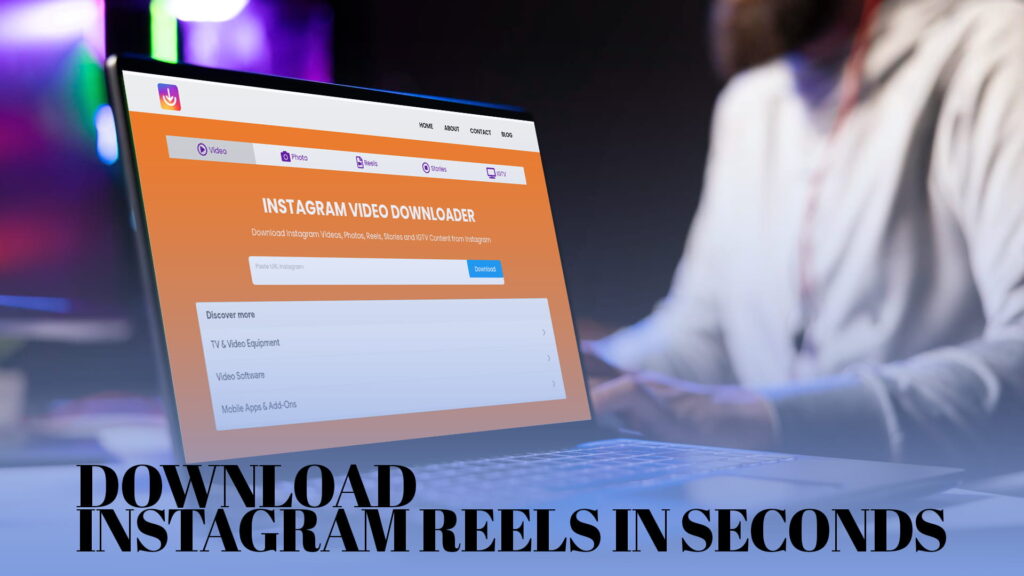
You are scrolling through Instagram. A reel catches your eye — it might be a recipe, a workout routine, a travel clip, a comedy skit, or a tutorial you genuinely want to refer back to. You watch it once, maybe twice, and then you think: I need to save this.
But Instagram does not give you a direct download button. You can bookmark it inside the app, but that only works as long as you have internet and your account. The moment you are offline, on a flight, in a place with bad signal, or trying to share that reel somewhere outside of Instagram, the bookmark is useless.
That is the gap IG DOWN fills.
IG DOWN is a free online tool that lets you download Instagram Reels directly to your device in seconds. No installation. No sign-up. No complicated steps. Just copy the reel link, paste it into IG DOWN, and save the video. It comes out as a clean MP4 file with no watermarks, at the best quality available.
This article covers everything about downloading reels — why people do it, how it works, what makes IG DOWN reliable, and what you can do with downloaded reels once you have them.
Why Instagram Reels Are Worth Saving
Reels took over Instagram. What started as a short-video feature has become the dominant format on the platform. Creators post reels for entertainment, education, brand promotion, storytelling, comedy, fitness, cooking, travel — basically everything. The format is short, punchy, and easy to watch, which is why people find themselves consuming dozens of them in a single session.
But here is the problem with short-form video: it moves fast. The algorithm shows you a reel, you love it, you keep scrolling, and then three days later, you cannot find it again. You remember it existed. You cannot remember whose account it was on. You search and come up empty. That reel is effectively gone.
Downloading reels the moment you find them is the simplest solution to this problem.
There are other reasons too. Some reels are genuinely useful — a step-by-step guide you want to follow in the kitchen, a speech exercise, a language learning clip, a short film you want to show a friend who is not on Instagram. Some reels belong to accounts that might go private or disappear. Some people just prefer to have their favorite content saved locally rather than relying on a platform to keep it available.
Whatever the reason, wanting to save a reel is completely normal. IG DOWN makes it easy.
What Is IG DOWN?
IG DOWN is a browser-based Instagram content downloader. It works without any app download or account registration. You visit the site, paste a link, and get your file. That is the whole experience.
It handles all main types of Instagram content, not just reels. You can also download:
- Regular Instagram videos
- Photos and carousel posts
- Instagram Stories (before they expire)
- IGTV videos
But for this article, the focus is on reels — the feature people search for most when looking for an Instagram downloader.
IG DOWN processes reel links quickly. Most downloads are ready in a few seconds. The tool does not add any watermarks to your video, does not compress the file beyond what Instagram already provides, and does not make you sit through ads or redirects before getting to your download.
How to Download Instagram Reels Step by Step
The process has a few simple steps. There is nothing technical here — anyone who can copy and paste can do this.
Step 1 — Open Instagram and Find the Reel
Start by finding the reel you want to download. You can do this on the Instagram mobile app or on Instagram’s website in a browser. Scroll your feed, search for a creator, check the Reels tab on a profile — wherever the reel lives, find it first.
Step 2 — Copy the Reel Link
On the mobile app: Tap the three-dot menu icon on the reel (it looks like ···). In the menu that appears, tap “Copy Link.” The link is now on your clipboard.
On a desktop browser: You can copy the URL directly from your browser’s address bar when viewing the reel. Alternatively, click the three-dot menu on the reel post and select “Copy Link.”
The link will look something like this: https://www.instagram.com/reel/ABC123/
Step 3 — Open IG DOWN in Your Browser
Open a new tab and go to IG DOWN. The homepage has a single input field front and center. That is where the link goes.
Step 4 — Paste the Reel Link
Tap or click inside the input field and paste the link. On mobile, press and hold and tap “Paste.” On a computer, press Ctrl+V (Windows) or Cmd+V (Mac).
Step 5 — Hit the Download Button
Click or tap the download button. IG DOWN will process the link, which usually takes just a couple of seconds. A preview of the reel will appear along with a download option.
Step 6 — Save the Video to Your Device
Tap the download option to save the MP4 file. On Android, it typically goes to your Downloads folder. On iPhone, you may need to tap and hold the video and choose “Save to Files” or “Save to Photos” depending on your browser. On a computer, it saves to your Downloads folder or wherever your browser sends downloaded files.
The whole process takes less than a minute from start to finish. Once you have done it once, it feels completely automatic.
Why MP4 Format Is Exactly What You Want
Every reel downloaded through IG DOWN comes as an MP4 file. This matters for a few reasons.
MP4 is the most universally supported video format in existence. Every smartphone plays MP4. Every laptop plays MP4. Every video editing application accepts MP4. Every social media platform accepts MP4 uploads. If you are planning to use the reel anywhere after downloading it — share it, edit it, embed it, present it — MP4 is the format that works everywhere without any conversion needed.
Some tools download reels in obscure or compressed formats that require additional steps before the file is usable. IG DOWN skips all of that by giving you a standard MP4 right from the start.
No Watermarks. Ever.
If you have tried other reel downloaders, you may have run into the watermark problem. The tool downloads your video but stamps its logo, name, or a giant text overlay across the video. The file is technically downloaded, but it is not usable for anything that requires a clean image.
IG DOWN does not do this. The video you download is exactly what was on Instagram — no overlay, no logo, no added text, no branding from the downloader. You get a clean file.
This is especially important for people who download reels for professional reasons — marketers, designers, video editors, educators. A watermarked file is not a usable asset. IG DOWN gives you what you actually need.
No App Download Required
There are apps in various app stores that claim to download Instagram content. Some of them work. Some of them do not. Some of them work for a while and then stop because Instagram changes something on their end. Some of them are not trustworthy from a privacy standpoint — they ask for permissions they do not need, or they collect data they should not be collecting.
IG DOWN bypasses all of that because it runs entirely in a browser. There is nothing to install. You do not hand it any permissions. You do not let it touch your photo library or your contacts or your location. You visit the website, use the tool, and close the tab. That is the full extent of the interaction.
This also means IG DOWN is always up to date. Web-based tools can be updated on the server side without you having to update an app. When Instagram changes something, IG DOWN can adapt without requiring any action on your part.
Works on iPhone, Android, and Desktop
One of the practical advantages of a browser-based tool is that it works on everything. IG DOWN does not favor one platform over another.
iPhone users can open IG DOWN in Safari or Chrome, paste the link, and download the reel. On Safari, you may want to save the video to Files, which gives you full control over where the video lives on your device.
Android users can open IG DOWN in Chrome or any other browser, paste the link, and the video will download directly to the Downloads folder, which is accessible through the Files app.
Desktop users on Windows or Mac can use any browser — Chrome, Firefox, Edge, Safari — and the video downloads to the default Downloads folder. From there, you can move it wherever you want.
No special settings. No additional apps. No compatibility issues. IG DOWN is designed to work across the board.
What Can You Do With a Downloaded Reel?
Downloading a reel is the first step. What you do with it after depends entirely on your needs. Here are some of the most common ways people use downloaded reels.
Watch It Offline
The most basic use case. Once the reel is on your device, you can watch it whenever you want, wherever you are, with zero internet connection required. Long flight, road trip, somewhere with bad signal — no problem.
Share It Outside Instagram
Instagram is not the only place where people communicate. You might want to send a reel to a friend over WhatsApp, Telegram, iMessage, or email. You might want to post it on another platform. A downloaded MP4 file can go anywhere.
Use It in a Presentation or Document
If you are putting together a presentation for work, a school project, or any kind of report, video files can be embedded directly. A downloaded reel is a proper video file — it can go right into PowerPoint, Google Slides, or any presentation tool.
Save It Before It Disappears
Accounts get deleted. Posts get taken down. Content that is live today might not be live next month. If there is a reel you find genuinely valuable — educational, inspiring, funny, sentimental — downloading it is the only way to guarantee it stays available to you.
Study It for Creative Work
Creators, marketers, and designers often download reels to analyze them. How is the video structured? What music is used? How is the text placed? What makes it perform well? Watching a reel offline at your own pace, pausing and rewinding freely, is better than trying to study it inside the Instagram app with its autoplay and UI clutter.
Edit or Remix It
If you are a video editor working on a project and you want to incorporate a reference clip, or a creator who has permission to remix certain content, having the video file locally is essential. You cannot edit a bookmarked Instagram post. You can edit an MP4 on your hard drive.
How IG DOWN Handles Different Types of Reels
Reels come in different lengths and formats. Short 15-second clips, 30-second videos, 60-second content, and longer reels all process through IG DOWN the same way. The link structure is the same — instagram.com/reel/... — and the download process does not change based on length.
Some reels include music licensed through Instagram’s audio library. When you download the reel, the audio comes with it as part of the video file, since it was baked into the reel at the time of upload.
Some reels are part of a series or playlist on a creator’s profile. IG DOWN downloads individual reels — you paste the link for each one you want to save. There is no bulk downloading feature, but for most use cases, downloading reels one at a time is exactly what you need.
When the Download Does Not Work
Most downloads go smoothly, but occasional issues come up. Here is what to check if something goes wrong.
The link does not work. Double-check that you copied the full link, starting with https://. Partial links or links that were accidentally truncated will not resolve correctly. Delete what is in the input field and paste again from scratch.
The reel has been deleted. If the creator removed the reel or deleted their account after you copied the link, the content no longer exists on Instagram’s servers. IG DOWN cannot retrieve what is no longer there.
The account is private. Reels from private accounts are not accessible to tools like IG DOWN, which operate without logging into Instagram. Only content from public accounts can be downloaded.
The reel link seems not to be loading. Sometimes, Instagram generates temporary or redirected links. If the link you copied does not work, try viewing the reel directly on Instagram’s website in a browser and copying the URL from the address bar instead.
Your download is saving as a file you cannot open. Make sure your device has a video player installed that handles MP4. On phones, this is rarely an issue, but on older computers, you may need a media player like VLC.
IG DOWN vs. Using Instagram’s Built-In Features
Instagram has two built-in features people use to save content: the Bookmark (Save) feature and the Download button that appears on some reels.
The Bookmark feature saves a post to a collection inside the app. It is useful for organizing content you want to revisit, but the content is only viewable inside Instagram with an internet connection. You cannot export it. If your account gets locked, your saved content is inaccessible.
The Download button, which Instagram added for certain reels, saves a version of the reel to your camera roll — but with a watermark. The video has the creator’s username and Instagram branding stamped on it. This is fine for casual resharing, but not for most practical uses.
IG DOWN gives you what neither of those options provide: a clean, watermark-free MP4 file that lives on your device, requires no internet to play, and can be used however you need.
Why People Keep Coming Back to IG DOWN
There are plenty of Instagram downloader tools online. The reason people return to IG DOWN is mostly about reliability and simplicity.
The tool works. That is the most important thing. Downloaders in this category live and die by whether they actually process links correctly. Plenty of tools break when Instagram changes its structure and never get updated. IG DOWN stays current.
The experience is clean. You are not navigating through pop-up ads, fake download buttons, suspicious redirects, or a ten-step process just to save a video. You paste, you click, you download. Three actions and you are done.
There is nothing to manage. No account to remember the password to. No settings to configure. No subscription to maintain. Every time you use IG DOWN, it is as simple as the first time.
IG DOWN for Content Creators
If you make content for Instagram, IG DOWN is more useful than you might think at first.
Backup your own reels. The version of your reel that lives on Instagram is the version Instagram keeps. If your account gets disabled — for any reason, fairly or not — your content disappears. Downloading your own reels through IG DOWN gives you a local backup that is entirely under your control.
Repurpose content across platforms. If you post a reel on Instagram and want to also put it on YouTube Shorts, TikTok, or your website, you need the video file. IG DOWN gets you that file quickly without having to dig through your phone’s camera roll for the original, which may have been edited or archived.
Analyze competitor content. Studying what other creators in your niche are doing well is a normal part of growing on any platform. Downloading reels to analyze structure, pacing, hooks, and editing gives you material to work with at your own pace.
Create compilations and showreels. If you want to put together a portfolio video or a highlight reel from your best Instagram content, you need individual clips. IG DOWN makes it straightforward to pull each clip as a clean file.
IG DOWN for Everyday Users
Not everyone who wants to download a reel is a content professional. Most people just want to save something they liked.
Maybe it is a motivational speech. A funny moment that made you laugh out loud. A video your sibling made that you want to keep. A cooking technique you plan to try this weekend. A travel video from a place you want to visit.
Whatever it is, IG DOWN treats the process the same way regardless of the reason. Paste a link, get a file. Simple as that.
Responsible Use of Downloaded Content
One thing worth saying clearly: downloaded content still belongs to whoever created it. Saving a reel for personal viewing is one thing. Using it commercially, republishing it without credit, or claiming it as your own work is a different matter.
If you download a reel and plan to share it anywhere public, credit the original creator. Tag them, mention their name, link to their profile — whatever the platform allows. Creators put time and effort into their content. A quick credit costs nothing and makes a real difference.
Do not use downloaded content to make money without the creator’s permission. Do not edit someone else’s reel and post it without disclosure. Basic respect for creators applies here the same as anywhere else.
IG DOWN is a tool for access, not a tool for misuse. How you use it reflects on you, not on the tool.
Start Downloading Reels Right Now
If you have been frustrated by Instagram’s lack of a proper download feature, IG DOWN is the answer. It is free, it is fast, it works on every device, and the files it produces are clean and ready to use.
You do not need to create an account. You do not need to install anything. You just need the link to the reel you want and a few seconds.
Go to IG DOWN, paste your first reel link, and see how quick and easy it is. Once you have done it once, you will wonder why you spent so long bookmarking things inside an app when you could have been saving files to your own device the whole time.
The reel you want to save is one paste away.