
Instagram Stories are built to vanish. Twenty-four hours after they go up, they’re gone, and unless someone saved a Story to their Highlights, there’s no way to see it again inside the app. That’s fine for most Stories, which are throwaway by design. But every so often one is worth keeping: a friend’s announcement, a clip of your own you forgot to save, a tutorial, a moment you want to hold onto. And by the time you think to keep it, the clock’s already running down.
The “trick,” such as it is, comes down to one idea: a Story only exists for 24 hours, so you have to grab it while it’s live. Once it expires, there’s nothing left to download, no cache to dig into, no recovery button. So this guide is really about doing two things well: saving Stories quickly while the window’s open, and setting yourself up so you’re not constantly racing the clock.
I’ll cover saving your own Stories, saving other people’s (public ones, with the obvious caveats), the fastest way to do it, and the fallback for when a link won’t cooperate. No app required, no Instagram password handed to anything shady.
The 24-Hour Window, Explained
Here’s the part that catches people out. A Story is live for exactly 24 hours from when it was posted, not from when you saw it. If you spot a Story that’s already been up for twenty hours, you’ve got four hours, not a full day. So the moment you decide you want to keep one, treat it as urgent rather than assuming you’ll get to it later.
Highlights are the exception. If a user pins a Story to their profile as a Highlight, it stays visible indefinitely, and you can grab it any time. But you can’t make someone else’s Story into a Highlight, so for anything that isn’t already pinned, the 24-hour rule is hard.
One more thing up front: this only works for public accounts, or for private accounts you’re actually allowed to see. If a profile is private and you don’t follow it, you can’t access its Stories at all, and no tool changes that honestly.
Saving Your Own Stories (Instagram Actually Helps Here)
If it’s your own Story, you don’t need anything external. Instagram gives you two built-in options, and it’s worth turning them on so you never lose your own content again.
First, you can save any Story frame while it’s live. Open your active Story, tap the three-dot menu at the bottom, and choose Save, which drops the photo or video into your phone. Second, and better, go into your settings and turn on automatic archiving and saving. Under Settings and privacy > Story, you can set Instagram to automatically save your Stories to your camera roll and to your private Archive as you post them. With that on, every Story you post is quietly kept for you, and you can revisit old ones from the Archive whenever you like.
For your own content, that’s the whole answer. It’s other people’s Stories, and Stories you didn’t save in time, where a downloader earns its place.
The Fast Way: Use a Downloader While the Story Is Live
For a public account’s Story, the quickest route is a web downloader that reads the live Story and hands you the file. Since the point is to beat a countdown, speed matters, and a tool that loads fast without a wall of pop-ups is the difference between catching a Story and missing it.
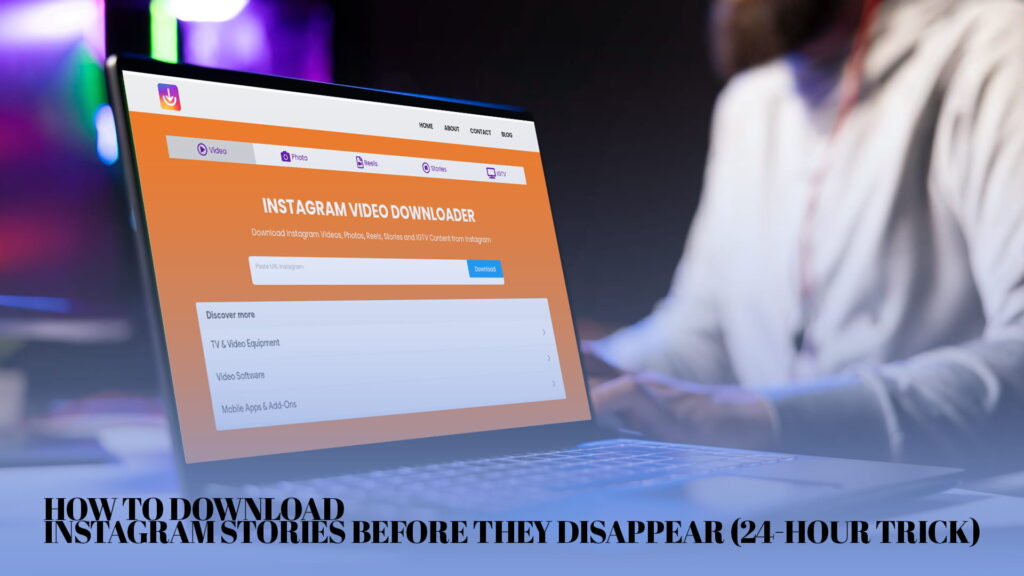
A downloader like IG DOWN pulls Instagram Stories, videos, photos, Reels, and IGTV clips without asking you to log in. The flow is short enough to do in the time a Story has left on the clock: copy the account’s link or username, paste it into the tool, and download the current Story as a photo or video file. Because it doesn’t require a login, you’re not fumbling with credentials while the window closes.
If you want the general mechanics of pulling Instagram media down, the walkthrough on how to download Instagram videos and Reels online covers the same copy-paste-download rhythm that applies to Stories, and for something that handles both photos and video Stories cleanly, browsing a free Instagram video and image downloader online is worth it since Stories come in both formats.
Grabbing the Story Link
The one fiddly bit is getting the right link to paste. For a public account, open the profile, tap into their active Story, then tap the three-dot menu on the Story itself. Depending on your app version you’ll see an option to copy the link, or you can copy the profile URL and let the downloader find the current Story from the username.
If the copy-link option isn’t showing for a particular Story, pasting the account’s username or profile link into the downloader usually works just as well, since the tool looks up whatever Story is currently live on that profile. Either way, once the link’s in your clipboard, the rest takes seconds.
Getting Clean Story Files Without a Watermark
Worth knowing, because it’s a common annoyance: some downloaders re-process the file and burn their own logo onto it, so you end up with a watermarked Story that looks slightly worse than the original. A good downloader pulls the source file straight through untouched.
If clean files matter to you, the rundown on how to download Instagram videos and photos without a watermark explains what to look for so you walk away with the raw Story rather than a branded copy. A quick check after saving: if the file looks noticeably softer than it did on screen, or there’s a logo tucked in a corner, the tool compressed and stamped it, and it’s worth switching to a cleaner one.
Why Stories Disappear in the First Place
It helps to understand why the clock exists, because it tells you what you can and can’t do about it. Stories were designed to be low-pressure and temporary, a place to post things you wouldn’t want cluttering your permanent grid. The 24-hour expiry is the whole point of the format, not a bug to work around. That’s also why there’s no “recently expired” folder to recover from: once a Story is past its window, Instagram genuinely stops serving it to viewers.
The practical takeaway is that there’s no clever recovery method for an expired Story, because the content simply isn’t being handed out anymore. Every legitimate approach is about acting inside the window, not reaching back after it. Anyone claiming to recover Stories that expired days ago is selling something that doesn’t work.
Downloading Highlights (the One Exception to the Clock)
Highlights are the loophole the 24-hour rule leaves open. When someone pins a Story to their profile as a Highlight, it stops expiring and stays visible under their bio indefinitely. That means there’s no rush at all: you can save a Highlight whenever you like, because it isn’t going anywhere.
The process is the same as a live Story. Open the Highlight on a public profile, copy the link or the profile username, and paste it into your downloader. Because Highlights persist, they’re the easiest Story content to save, and if there’s an old Story you missed, it’s worth checking whether the person pinned it to a Highlight before assuming it’s gone for good. For pulling a mix of a profile’s saved content, a downloader that handles Reels and videos well tends to cope with Highlights just as smoothly, since they’re really just saved Story clips.
A Note on Close Friends Stories
If someone shares a Story to their Close Friends list (marked with the green ring), that content is more restricted than a normal Story. Even if you’re on the list, it’s shared with the understanding that it’s not for wider distribution. Technically you may be able to save it the same way, but this is one where the etiquette matters more than the mechanics. A Close Friends Story is a deliberately smaller circle, and saving or resharing it without asking is a quicker way to lose someone’s trust than almost anything else on the platform. If in doubt, just ask the person first.
What You Can’t Recover, and Why
Let me be blunt about the limits so you don’t waste time. You can’t recover a Story that already expired. You can’t save Stories from a private account you don’t follow. You can’t pull a Close Friends Story you weren’t included in. And you can’t un-notify anyone if the Story type happens to flag saves.
None of these are tool problems, they’re access problems, and no downloader honestly gets around them. Knowing that in advance saves you from chasing services that claim otherwise, which are almost always either useless or fishing for your Instagram password. If a site asks you to log in with your Instagram credentials to “unlock” expired or private Stories, close the tab. That’s how accounts get stolen, not how Stories get saved.
The Fallback: Screen Recording
Sometimes a link won’t pull, usually because the Story already expired, the account is private, or the link got mangled. If the Story’s genuinely gone, nothing recovers it. But if it’s still live and a downloader is just being stubborn, screen recording is a reliable backup, and it’s built into every modern phone.
On an iPhone, add Screen Recording to your Control Center under Settings, then start a recording, open the Story, and let it play through with sound on before stopping. On Android, pull down the quick-settings panel, tap Screen Record, and do the same. Either way you’ll want to trim the ends afterward in your gallery. It’s clunkier than a clean download and the quality is only as good as your screen, so treat it as a last resort. But when you’re up against the clock and the file won’t pull any other way, it works.
Setting Yourself Up So You’re Not Always Racing
The real trick to catching Stories isn’t a clever hack, it’s not leaving it to the last minute. A few habits make it painless.
If there’s an account whose Stories you regularly want to keep, check it earlier in the day rather than late, so you’ve got hours of runway instead of minutes. Turn on your own auto-save so your content is never the thing you lose. And keep your chosen downloader bookmarked and one tap away, because the whole game is shaving seconds off the process when a Story’s about to expire.
For anything you post yourself, honestly, the auto-archive setting solves the problem entirely. It’s the single best thing you can do, and most people never turn it on.
Doing This the Right Way
Worth saying plainly. Saving your own Stories is entirely your business. Saving a public Story for personal reference, or one you’ve been given permission to keep, is reasonable. Taking someone’s Story and reposting it as your own, or using it commercially without asking, isn’t, and downloading the file doesn’t change who made it. Instagram’s rules and ordinary copyright still apply once it’s on your phone.
Most people reading this just want to keep a moment before it disappears, whether it’s their own or a friend’s, and that’s exactly what this is for.
The Short Version
If you scrolled to the end: a Story lives for 24 hours from when it was posted, and once it’s gone, it’s gone, so you have to grab it while it’s live. For your own Stories, turn on auto-save in settings and you’ll never lose one again. For a public account’s Story, copy the link or username, paste it into a downloader, and save the file before the window closes. Screen recording is your backup if a link won’t pull. The whole thing comes down to acting while the clock’s still running rather than after.
Once you’ve got a downloader bookmarked and your own auto-save switched on, beating the 24-hour clock stops being a scramble and becomes a ten-second habit.