
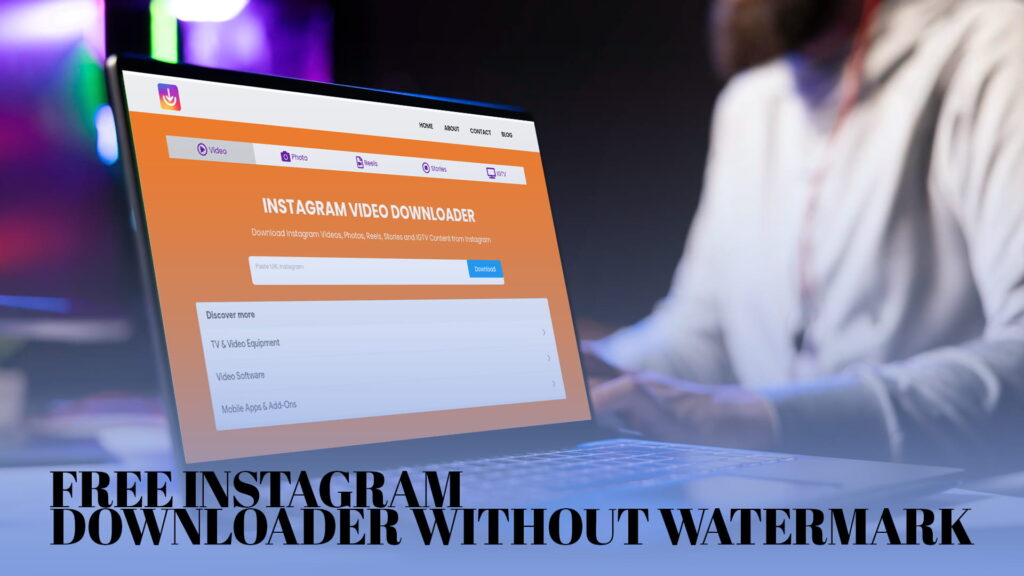
If you have ever come across a video on Instagram that you really wanted to save — a funny reel, a travel clip, a cooking tutorial — you already know the frustration. Instagram does not have a built-in download button for most content. You can save posts to your private collection inside the app, but that does not put the file on your phone or computer. The moment that the account goes private or deletes the post, your saved link goes nowhere.
That is the gap IG DOWN was built to fill. It is a free online tool that lets you download Instagram videos, photos, reels, stories, and IGTV content directly to your device. No watermark. No account needed. No app to install. Just paste a link and get the file.
This guide covers exactly how it works, why the no-watermark part matters, what types of content you can download, and a few things worth knowing before you use any Instagram downloader.
Why People Want to Download Instagram Content
Before getting into the tool itself, it helps to understand why so many people look for this in the first place. The reasons are more varied than you might think.
Content creators often repost their own videos across platforms. You might shoot something on your phone, post it to Instagram, and then want to share it on YouTube Shorts or TikTok. If you did not save the original file, downloading from Instagram is the fastest way to get it back.
Teachers and students save educational content for offline access. Not everyone has reliable internet all the time. Downloading a tutorial means you can watch it later without buffering or connectivity issues.
Researchers and journalists archive public content for reference. Social media posts disappear. Accounts get deleted. If something is relevant to a story or a study, saving a local copy is common practice.
Regular users just want to keep something they like. Maybe it is a recipe. Maybe it is a motivational clip you watched three times. Maybe it is a friend’s story that disappears in 24 hours. People want to hold onto things that matter to them.
None of these reasons are unusual. The demand for a clean, simple Instagram downloader is real.
What Is IG DOWN?
IG DOWN is a free web-based Instagram downloader. You do not install anything. You do not create an account. You visit the site, paste the Instagram link you want to download, and the tool handles the rest.
It works for:
- Instagram Videos — regular videos posted to someone’s feed
- Instagram Photos — single images or entire photo carousels
- Instagram Reels — short-form video content
- Instagram Stories — content that disappears after 24 hours
- IGTV — longer video content on Instagram
The downloaded files come without any watermark added by the downloader itself. What you save is a clean file.
The Watermark Problem — Why It Matters
A lot of Instagram downloaders add their own watermark to every file you download. That means you end up with a video that has the tool’s logo or website address stamped in a corner. Sometimes it is subtle. Often it is not.
This is a problem for a few reasons.
If you are a content creator reposting your own video somewhere else, a third-party watermark on your own content looks unprofessional. It is your video. You should not have to explain why someone else’s branding is on it.
If you are saving personal memories — a friend’s wedding video clip, a family photo — you probably do not want a random website’s logo covering part of it.
If you want to use downloaded content for educational or reference purposes, a watermark is just noise.
IG DOWN does not add watermarks. The file you download is the same clean file that exists on Instagram, without any branding from the downloader tool itself.
How to Use IG DOWN — Step by Step
The process is short. Here is how it works.
Step 1 — Find the content you want to download
Open Instagram on your phone or browser. Navigate to the video, photo, reel, story, or IGTV you want to save.
Step 2 — Copy the link
On mobile, tap the three dots (the share menu) on the post and choose “Copy Link.” On desktop, click the three dots on the post and select “Copy Link.”
For stories, you usually need to open the story and tap the share icon to find the copy link option.
Step 3 — Go to IG DOWN
Open your browser and go to IGDown.org.
Step 4 — Paste the link
You will see an input field on the page. Paste the Instagram link you copied.
Step 5 — Click Download
Hit the download button. The tool fetches the content and gives you a download option. Click it, and the file saves to your device.
That is the whole process. No sign-up. No payment. No installation.
Downloading Instagram Videos
Instagram videos come in all shapes — short clips in someone’s feed, product demonstrations from brands, news clips, personal moments. Whatever the video, IG DOWN can pull it directly.
When you download a video through IG DOWN, you get an MP4 file. MP4 is the most compatible video format out there. It plays on iPhones, Android phones, Windows computers, Macs, tablets — essentially everything that plays video.
The quality of the downloaded file matches the quality of the original upload. If someone posted a high-resolution video, that is what you get. The tool does not compress or degrade the file.
One thing worth knowing: if a video is posted by a private account and you do not follow that account, the link will not work. IG DOWN can only fetch content that is publicly accessible. It does not bypass Instagram’s privacy settings.
Downloading Instagram Photos
Photos on Instagram are sometimes trickier to save than they look. On mobile, long-pressing an image to save it does not always work. Screenshots lose quality. And some carousel posts have ten images — saving them one screenshot at a time is tedious.
IG DOWN handles Instagram photos cleanly. You get the full-resolution image file, not a compressed screenshot. For carousel posts with multiple photos, the tool lets you download all the images from that post.
The file format is JPG, which is standard for photos and works everywhere.
If you are a photographer who posts your work to Instagram and wants to pull those files back for any reason, this is a practical way to do it.
Downloading Instagram Reels
Reels have become one of Instagram’s most popular features. They are short videos — usually between 15 seconds and 90 seconds — set to music or audio, often edited with effects. They spread fast. People discover new accounts through reels constantly.
Naturally, people want to save them.
IG DOWN downloads reels the same way it handles regular videos. You copy the reel’s link, paste it into the tool, and download the MP4 file. The audio is included. The whole reel, exactly as posted.
Reels are a format that many creators use across platforms. If you make reels and want to cross-post them to TikTok or YouTube Shorts, downloading your own reel through IG DOWN is a clean way to get the file without watermarks getting in the way.
Downloading Instagram Stories
Stories are the most time-sensitive content on Instagram. They disappear after 24 hours unless the account owner saves them to their highlights. If you want to keep a story — yours or someone else’s from a public account — you have a narrow window.
IG DOWN supports story downloads. The process is the same: copy the story link, paste it, and download.
For your own stories, this is a good backup habit. Instagram does let you archive your stories in the app, but having the actual video file on your device gives you more control. You can edit it, repost it somewhere else, or just keep it as a memory.
For public accounts — news outlets, brands, public figures — stories sometimes contain time-sensitive information. Journalists and researchers sometimes need to preserve these.
Again, IG DOWN only works for stories from public accounts. Private stories are not accessible.
Downloading IGTV Content
IGTV was Instagram’s push into longer video content. Some creators still use it for in-depth tutorials, interviews, and documentary-style content. These are longer files — sometimes 30 minutes or more — and they can be genuinely useful to have offline.
IG DOWN handles IGTV downloads. The file comes as an MP4, and the quality matches the original.
If you are trying to save a long tutorial you plan to follow without an internet connection, downloading the IGTV video ahead of time makes a lot of practical sense.
Is IG DOWN Safe to Use?
Safety is a reasonable thing to wonder about with any online tool that asks you to paste a link and run a process.
Here is what matters with IG DOWN:
You are not giving it your Instagram login. The tool does not ask for your username or password at any point. This is important. Many Instagram downloaders — particularly shady ones — ask you to log in, which hands them access to your account. IG DOWN does not work that way. It only needs the public link to the content.
You are not downloading any software from the site. Nothing installs on your device. The file you download is the media file itself — a video or photo — not an executable or app.
You are not creating an account or handing over personal information. The tool is anonymous to use.
Use common sense with any website. Make sure your browser is up to date. If a site asks for information it should not need (your login credentials, your payment details, your personal info), that is a red flag. IG DOWN does not ask for any of those things.
A Note on Copyright and Responsible Use
Downloading something from the internet does not automatically give you the right to do whatever you want with it. This is worth being clear about.
Instagram content belongs to the person who posted it. When you download a video or photo using IG DOWN, you are saving a copy. That copy is fine for personal use — watching it offline, keeping it as a reference, archiving something you posted yourself.
What gets complicated is redistribution. If you download someone else’s video and repost it somewhere claiming it as your own work, that is a copyright issue. If you download creative content and use it commercially without permission, that is also a problem.
The tool itself is neutral. How you use what you download is your responsibility.
For your own content, there are no concerns. Download your own posts and reels and stories as much as you want. For other people’s content, keep personal use personal.
IG DOWN vs. Instagram’s Own Save Feature
Instagram does have a save feature. You can tap the bookmark icon on any post and it gets added to your “Saved” collection inside the app. So why use a downloader at all?
A few reasons.
The Instagram save feature keeps the post bookmarked, but it does not put a file on your device. If you open your saved collection offline, you cannot view most of it. If the original post gets deleted, your saved link goes dead. If you lose access to your Instagram account for any reason, your entire saved collection is gone.
Downloading the actual file through IG DOWN means you have it regardless of what happens on Instagram. The file is on your device. No account required to view it. No dependency on the original post still existing.
For casual browsing and quick reference, Instagram’s save feature is convenient. For content you actually want to keep long-term, downloading it is more reliable.
Works on Any Device
IG DOWN is a browser-based tool, which means it does not care what device you are using.
On iPhone: Open Safari or Chrome, go to IGDown.org, paste your link, download. The file saves to your Photos or Files app.
On Android: Same process. The file downloads to your Downloads folder or directly to your gallery depending on your settings.
On Windows or Mac: Open any browser, paste your link, download. The file saves wherever your browser puts downloads by default.
No app to install. No platform restrictions. If you have a browser and an internet connection, it works.
Why Free Matters
There are paid Instagram downloader tools and subscriptions out there. Some charge monthly fees. Some offer “premium” features. For most people, paying for something that should be simple is not appealing.
IG DOWN is free. Not free with a catch, not free for five downloads and then a paywall. Free.
For a tool that does one job — download Instagram content cleanly — there is no reason it should cost money. IG DOWN handles it without asking for yours.
What Happens When the Downloaded File Is on Your Device
Once the file is on your phone or computer, you can do with it what you like within the bounds of reasonable use covered earlier.
Some common things people do:
Organize and store it. Move it to a folder. Rename it something meaningful. Build an archive of content you want to keep.
Edit it. Want to trim a video? Add it to a larger project? Now that it is a standard MP4, any video editor can open it.
Share it through other channels. Send it to someone on WhatsApp, email it, add it to a presentation.
Repost it to another platform. If it is your own content, cross-posting to TikTok, YouTube Shorts, Twitter, or any other platform is straightforward with the actual file.
Watch it offline. Load it onto a tablet for a flight, or watch it later without needing Wi-Fi.
The file behaves like any other file once it is downloaded. That is the point.
Tips for Getting the Best Results
A few practical notes that make the process smoother.
Make sure the account is public. Private account content is not accessible through any downloader. If the link is from a private profile that you do not follow, the download will not work.
Copy the full link. Sometimes, sharing options on Instagram give a shortened link. That usually works fine, but if you run into issues, try copying the full URL from a browser version of Instagram instead.
Check your storage. IGTV files can be large. Make sure your device has enough space before downloading a 20-minute video.
For stories, act quickly. Stories disappear in 24 hours. If you want to save one, do it before the window closes.
Use a stable connection. Large files download more reliably on Wi-Fi than on mobile data, and faster connections mean you are not waiting around.
A Realistic Picture of What Downloaders Can and Cannot Do
IG DOWN is useful, but it is worth being accurate about its limits.
It works for public content only. No tool can access private Instagram accounts without the account owner’s permission, and any tool that claims otherwise is either lying or doing something problematic.
It downloads what exists. If the quality of the original video is low, the downloaded file will also be low quality. The tool does not enhance or upscale.
It does not download live videos in real time. Completed livestreams that have been saved as videos can be downloaded, but you cannot use IG DOWN to record a live session as it happens.
It does not store your files. Once you download the file, it is on your device. IG DOWN does not keep a copy.
These are all reasonable constraints. Within them, the tool does its job well.
The Bigger Picture — Why This Kind of Tool Exists
Social media platforms are designed to keep you inside them. Content lives on their servers, accessed through their apps, under their terms. That is fine for browsing. It is less ideal when you actually want to own a copy of something.
Instagram is not unusual in this. YouTube, TikTok, Twitter — most platforms make it at least moderately inconvenient to get content off the platform and onto your own device. Third-party tools exist because people have legitimate reasons to want their files.
Creators want to own their work. Users want access to content they value. People want to be less dependent on whether a platform stays up, whether an account stays active, whether they maintain access to their own history.
IG DOWN is a practical answer to that practical need. It does not promise anything it cannot deliver. It just gives you the file.
Summary
To recap everything covered here:
IG DOWN is a free, browser-based tool that downloads Instagram videos, photos, reels, stories, and IGTV content to your device. The files come without any watermark added by the tool. You do not need to log in to Instagram or create any account to use it. It works on iPhones, Android phones, Windows computers, and Macs. The process takes about 30 seconds: copy the Instagram link, go to IGDown.org, paste, download.
It is best for content from public accounts, for personal use, and for creators who want clean copies of their own work without a third-party logo stamped on it.
If you have been looking for a clean, simple way to save Instagram content, IG DOWN is worth trying. Go to IGDown.org and see for yourself.
How IG DOWN Compares to Other Methods People Try
Before tools like IG DOWN existed, people used all sorts of workarounds to save Instagram content. Some still use them. Here is how they stack up.
Screen recording. This works, but the quality suffers. You are recording your screen, not downloading the actual file. Audio quality is often lower. The video may have notifications, the clock, or other UI elements visible in the frame. And for photos, screen recording is not even useful — you would take a screenshot instead, which has the same quality problem.
Screenshots for photos. A screenshot is not the original file. Instagram loads photos at a resolution suited for your screen, and screenshots add compression on top of that. If you care about image quality at all — for printing, editing, or anything other than sharing in a chat — screenshots are not the answer.
Asking the original poster. This works sometimes. If you know the person, you can ask them to send you the file. But it depends on the relationship, their willingness, and whether they still have the original. Not a reliable method.
Other downloader tools with watermarks. These work technically but stamp their branding on your file. You get the content but not cleanly.
IG DOWN avoids all these issues. You get the actual file, at full quality, without any branding from the tool itself, in a format that works everywhere.
Using IG DOWN for Business and Professional Purposes
Individuals are not the only ones who use Instagram downloaders. Businesses and professionals use them too, for legitimate and practical reasons.
Social media managers often need to download client content for record-keeping. If a brand’s post performs well and they want to archive it, or if they are switching management tools and need to transfer creative assets, having the actual files matters.
Marketing teams sometimes download competitor content as part of competitive analysis. Understanding what formats and styles are working in a space is standard practice in marketing, and saving examples for reference is part of that work.
Content agencies repurpose content across platforms for clients. If a client’s Instagram reel needs to go on LinkedIn or their website, the agency needs the file. IG DOWN gives them a clean way to pull it.
Educators and trainers download videos to use in presentations or course materials. Embedding a live Instagram link in a course is unreliable — the post could disappear. Having the file locally is far more stable.
In all of these cases, the use is professional, the content is typically from public accounts, and the purpose is reference or archiving rather than misrepresentation.
Final Thoughts
The internet moves fast. Content appears, gets traction, and sometimes disappears just as quickly. Accounts get deleted, posts get taken down, stories expire. If you rely only on Instagram’s own infrastructure to hold content you care about, you are one deleted account away from losing it.
Downloading content you genuinely want to keep is a reasonable thing to do. It is what people have always done with things they value — they make copies, they store things locally, they do not assume the original will always be there.
IG DOWN makes that easy for Instagram content. It is free, it is fast, it does not watermark your files, and it does not ask for your login. For a tool that does one specific job, that is all it needs to do.
Visit IGDown.org when you need it. Paste your link. Get your file. Done.