
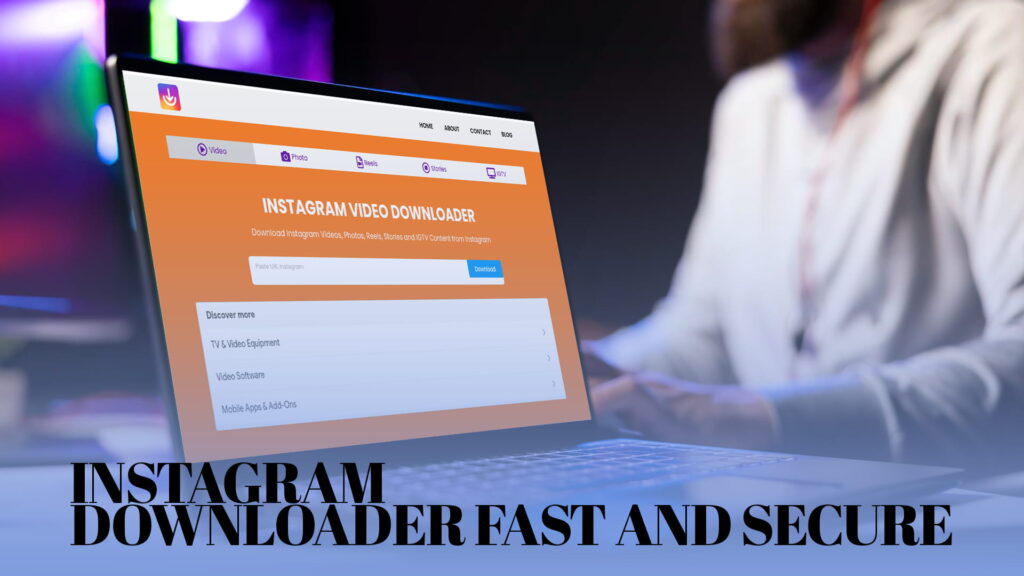
When you are trying to save a reel before it disappears, or pull a photo from a post that might be taken down, the last thing you want is a downloader that moves slowly, crashes halfway through, or makes you wonder whether your data is safe.
Most people do not think about security when they use a download tool. They paste the link, click the button, and hope it works. But that lack of attention is exactly what bad tools take advantage of. Some free downloaders are riddled with aggressive ad redirects. Some ask for permissions that have nothing to do with downloading. Some harvest the links you paste and use them in ways they never tell you about.
IG DOWN was built differently. It is fast — most downloads process in seconds. And it is secure — no login required, no data harvested, no unnecessary permissions, no suspicious redirects. You use it, you get your file, you leave. That is the entire experience.
This article goes deep on both sides of that promise: the speed and the security. By the end, you will know exactly what makes IG DOWN trustworthy, how to use it, and why it is worth choosing over the many alternatives out there.
The Problem With Most Free Instagram Downloaders
The internet has no shortage of Instagram download tools. A quick search turns up dozens of them. Most are free, most look roughly similar, and most claim to be safe and fast. The reality is more complicated.
Aggressive Ads and Fake Download Buttons
A large number of free downloaders generate revenue by showing ads. That alone is not a problem — ads are a normal way to fund a free service. The problem is how some of these tools implement ads.
You click what looks like a download button and it opens a new tab with an advertisement. You close it and try again. Another tab. You eventually find the real button buried under three decoys. Meanwhile, some of those redirected pages are pushing browser notifications, running scripts, or delivering pop-ups that are difficult to close on a phone.
This is not just annoying. It is a real security exposure. Any page that auto-redirects you to unknown URLs is a page that could potentially expose your device to malicious content.
IG DOWN does not use fake download buttons. The download button is the download button. One click, and your file starts downloading.
Requiring a Login or Instagram Credentials
Some tools ask you to log into Instagram through their interface to access content. Stop right there. No legitimate downloader needs your Instagram username and password. If a tool asks for your credentials, it is asking for something it has no business having, and giving it that information could result in your account being compromised.
IG DOWN never asks you to log in. It works entirely with public post links. Your account credentials stay with you.
Collecting Your Data
Some tools track the links you paste and build profiles of what content you are interested in. Others log your IP address and browsing behavior. Privacy policies — if they even exist — are often vague, long, and clearly written to protect the tool, not the user.
IG DOWN’s approach is straightforward. You paste a link. The tool fetches the content from that link. You download the file. That transaction does not need your personal data, and IG DOWN does not collect it.
Breaking Without Warning
A lot of downloaders stop working without notice. Instagram updates its platform, the link structure changes slightly, and tools that were not maintained go dark overnight. Users come back expecting the service to work and find it broken.
IG DOWN is actively maintained. When Instagram updates something on their end, IG DOWN is updated to match. You are not going to paste a link and get an error because the tool is two years out of date.
What Makes IG DOWN Fast
Speed in a download tool is not just about your internet connection. It is about how quickly the tool processes the link, fetches the content metadata, and delivers the download option. Slow tools introduce delays at each of these steps, often because of overloaded servers, inefficient code, or deliberate friction designed to increase ad exposure time.
IG DOWN keeps each step lean.
Link processing is immediate. When you paste a link and click the download button, the tool resolves the content right away. There is no artificial loading screen.
No unnecessary steps. Some tools add an email verification step, a captcha every few downloads, or a progress bar that exists purely for show. IG DOWN skips all of that. You go from link to download in three actions: paste, click, save.
Clean server infrastructure. IG DOWN is built to handle requests efficiently. The experience on a busy day is the same as on a quiet one.
No account overhead. Because there is no login system, there is no session management, no authentication handshake, no profile loading. The tool goes straight to the task.
Most users report their reel or video download is ready within five to ten seconds of pasting the link. For photos, it is even faster. This is what fast actually looks like in practice — not “fast for a free tool,” just fast.
What Makes IG DOWN Secure
Security is a word that gets thrown around a lot without much substance behind it. Here is what it actually means in the context of IG DOWN.
No Account Required, No Data Collected
The most common way free web tools collect data is through account creation. When you make an account, you hand over your email address at minimum, and often your name, preferences, and usage history. That data gets stored, and in some cases, shared or sold.
IG DOWN has no account system. There is nothing to sign up for, nothing to verify, no profile that gets created when you use the tool. The absence of an account is not a limitation — it is a deliberate choice that protects your privacy.
No Instagram Login Required
IG DOWN works by fetching publicly accessible content based on the link you provide. It does not log into Instagram on your behalf. It does not store Instagram session data. It does not interact with Instagram in any way that would involve your credentials.
This is important not just for your account’s safety, but for the integrity of your Instagram data. Any tool that asks for your Instagram login is a potential vector for unauthorized account access. IG DOWN removes that risk entirely by never asking for it.
HTTPS Encryption
IG DOWN runs over HTTPS. This means all communication between your browser and the IG DOWN server is encrypted. The link you paste is transmitted securely. The content you download is delivered over an encrypted connection. Anyone monitoring your network traffic cannot see the details of what you are downloading.
This matters especially on shared networks — public Wi-Fi in a coffee shop, a hotel network, an airport terminal. On an unsecured connection, unencrypted tools expose what you are doing to anyone on the same network. HTTPS prevents that.
No Malware, No Bundled Software
IG DOWN delivers a single downloadable file when you complete a download: your video or photo. There is no installer, no bundled software, no prompt to install a browser extension, and no “recommended software” that sneaks in alongside your download. The file you receive is exactly what you asked for and nothing else.
This is more notable than it sounds. Some free download tools operate as fronts for distributing browser extensions or software bundles. The extension might be advertised as a download helper, but it is often adware that hijacks your search engine, tracks your browsing, or injects ads into pages you visit. IG DOWN does not participate in any of that.
No Unnecessary Browser Permissions
IG DOWN does not ask your browser for any special permissions. It does not request access to your camera, microphone, location, or notification settings. It does not ask to read your clipboard beyond the moment you paste a link. It runs as a normal webpage because that is all it needs to be.
What You Can Download With IG DOWN
IG DOWN is not only a reel downloader. It handles every major content type on Instagram, and it does it quickly and securely across the board.
Instagram Videos
Standard video posts are the most straightforward content type. Paste the link to any public video post and IG DOWN gives you an MP4 download at the highest quality available. Short clips, longer posts, vertical videos, horizontal videos — all handled the same way.
Instagram Photos
Single photos and carousel posts are both supported. For carousel posts, each image in the post can be downloaded individually. The downloads come as high-quality JPEG files at the resolution Instagram stores them at. IG DOWN does not apply any additional compression.
Instagram Reels
Reels are the most frequently downloaded content type for most users. The short-form format means people find reels they love and want to keep, but the platform makes saving them natively difficult. IG DOWN processes reel links the same as any other content — paste, click, download, done. The output is a clean MP4 with no added watermark.
Instagram Stories
Stories disappear after 24 hours. If you want to save a story — whether it belongs to you or to a public account you follow — IG DOWN can fetch it while it is still live. Photo stories save as JPEG files. Video stories save as MP4. The key here is timing: once a story expires, even IG DOWN cannot retrieve it, because the content is no longer on Instagram’s servers.
IGTV
IGTV is Instagram’s long-form video format. These videos tend to be larger files than reels or standard posts. IG DOWN handles them without any special process on your end — same paste-and-download approach. The resulting MP4 file contains the full video at its original quality.
Using IG DOWN: The Full Process
For first-time users, here is the complete walkthrough.
Find the content you want to download on Instagram. This works whether you are using the Instagram mobile app or the Instagram website on a computer.
Copy the link to the post. On the mobile app, tap the three-dot menu on the post and select “Copy Link.” For stories, tap the three dots in the story’s corner. On a desktop browser, you can copy the URL from the address bar when you have a specific post or reel open.
Open IG DOWN in your browser. You can do this in a new tab without leaving Instagram. IG DOWN works in any browser on any device.
Paste the link into the input field. Tap or click the field on the IG DOWN homepage and paste the link using your keyboard shortcut or the paste option from your touch menu.
Press the download button. IG DOWN processes the link and shows you a preview of the content with a download option ready.
Save the file to your device. Tap the download option. The file will save to your Downloads folder, camera roll, or Files app depending on your device and browser settings.
From the moment you paste the link to the moment the file is on your device, the typical experience is under thirty seconds. On a good connection, it is closer to ten.
IG DOWN on Different Devices
The browser-based approach means IG DOWN works everywhere, without any device-specific limitations.
On an iPhone, open IG DOWN in Safari or Chrome. After pasting the link and hitting download, the video will typically open in a new tab or give you the option to save to Files. From the Files app you can move it to your Photos library if needed.
On an Android phone, IG DOWN works smoothly in Chrome and most other browsers. Downloads go straight to the Downloads folder, accessible through the Files app. There is no additional step needed.
On a Windows computer, use any browser you prefer — Chrome, Edge, Firefox. Downloads go to your default Downloads folder. You can move the file anywhere from there.
On a Mac, the same applies. Safari, Chrome, or Firefox all work. The file saves to your Downloads folder and can be moved to any location.
The consistent experience across all these devices is one of the things that makes IG DOWN practical for everyday use. You do not learn one version of the tool on your phone and then struggle to find the same options on your laptop. It is the same interface and the same process everywhere.
Who Uses IG DOWN and Why
IG DOWN is used by a wide range of people across very different contexts. Here are some of the most common.
People Who Just Want to Save Something They Like
This is the majority. Someone finds a reel that made them laugh, a recipe they want to try, a travel video from somewhere they dream of visiting, a motivational clip they want to watch again. They want the video on their phone, not just bookmarked inside an app. IG DOWN gets it there in seconds.
Content Creators Who Back Up Their Own Work
When you post on Instagram, the version that lives there is controlled by Instagram. If your account is disabled, hacked, or goes through a platform issue, you could lose access to years of content. Creators who are serious about their work use IG DOWN to download their own posts and store backups on a hard drive or cloud storage that they control.
Social Media Managers and Marketers
Professionals who manage social media accounts regularly need to download content — client posts, competitor content for analysis, archived campaigns, reference material. IG DOWN gives them a fast way to pull that content without needing a dedicated enterprise tool or a manual screenshot-and-crop workflow.
Educators and Researchers
Teachers use short video clips as teaching material. Researchers collect visual content for analysis. Journalists archive posts as source material. IG DOWN makes any of these workflows faster and more reliable.
Designers and Video Editors
Reference material is a core part of any design or editing process. Downloading reels, photos, and videos from Instagram for inspiration boards, moodboards, and reference libraries is a normal part of creative work. IG DOWN provides clean, high-quality files that work directly in professional applications.
Students Working on Projects
From media studies to marketing classes to graphic design programs, students regularly need to pull content from social media as part of their coursework. IG DOWN simplifies a step that would otherwise involve workarounds and lower-quality results.
Comparing IG DOWN to Screen Recording
One alternative people reach for when they cannot find a downloader is screen recording. Record the screen while playing the video, crop it, and you have something close to the original. It works in a pinch, but it has real drawbacks.
Screen recordings capture whatever is on your screen at the time, including notification banners, the Instagram UI, the time, and any other visual clutter. The video quality depends on your screen resolution, not on the original file quality. The audio quality may suffer depending on how your phone handles screen recordings. And the file you end up with often needs additional editing before it is usable.
IG DOWN pulls the source file directly. No UI clutter. No quality loss from screen capture. No editing required. The file you get is the video as it was uploaded, not a recording of you watching it.
For anything you plan to actually use — share, present, edit, repost — the direct download is significantly better than a screen recording.
Comparing IG DOWN to Instagram’s Native Download Feature
Instagram has added a native download option for some reels, available in certain regions and account types. If you tap the three-dot menu on a reel, you may see a “Download” option. This downloads the video to your camera roll.
The catch is the watermark. Instagram’s native download stamps the reel with the creator’s username and Instagram’s branding in the corner. This is intentional — Instagram wants to encourage sharing within the Instagram ecosystem, not outside it.
For sharing within Instagram, the watermark is harmless. For using the video in any other context — a presentation, a project, a website, a portfolio, a compilation — the watermark is a problem.
IG DOWN delivers the video without any added watermark. The file is clean. That is the functional difference that matters for most practical uses.
Keeping Downloaded Content Organized
If you download content regularly — whether for work, personal use, or creative projects — a little organization goes a long way.
Create a dedicated folder on your device called something like “IG Downloads” or name it after the project you are pulling content for. Within that folder, use subfolders by date or topic. This takes about thirty seconds to set up and saves a lot of time later when you are looking for a specific file.
Naming files meaningfully also helps. Most downloads will come with a generic file name. Renaming it to something like cooking-pasta-technique.mp4 or client-promo-jan2025.mp4 immediately after downloading keeps your folder readable.
If you download a lot of content, a monthly cleanup pass — moving files to external storage or a cloud backup — keeps your local storage from filling up.
None of this has anything to do with IG DOWN specifically, but the tool makes downloading so quick that it is easy to accumulate a large collection of files without much thought. A simple organization system prevents chaos later.
A Free Tool With No Strings Attached
IG DOWN is completely free to use. There is no free tier with limited downloads and a paid tier to unlock more. There is no subscription. There is no credit system where you earn downloads by watching ads or completing offers. There is no premium version.
Every feature the tool has is available to everyone who uses it, from the first download to the thousandth. Videos, photos, reels, stories, IGTV — all of it, always free.
This is worth stating clearly because many tools that start as free introduce restrictions over time. A tool that is free today might require a subscription next month. IG DOWN’s model is simply free access to a useful tool, supported in a way that does not compromise the user experience or your security.
The Right Tool for the Job
If you need to download Instagram content, you need something that works quickly, handles every content type, and does not put your privacy or device security at risk in the process. That is a short list of requirements, but a surprising number of tools fail at one or more of them.
IG DOWN meets all three. It is fast because the process is stripped down to only what is necessary. It is secure because it does not ask for your data, does not require your credentials, and does not redirect you through shady pages. It works across videos, photos, reels, stories, and IGTV without you needing a different tool for each type.
It is a tool that does exactly what it says it does, without adding anything you did not ask for.
Visit IG DOWN and try it with the first link you have been meaning to save. Chances are, the download will be done before you finish reading this sentence.