
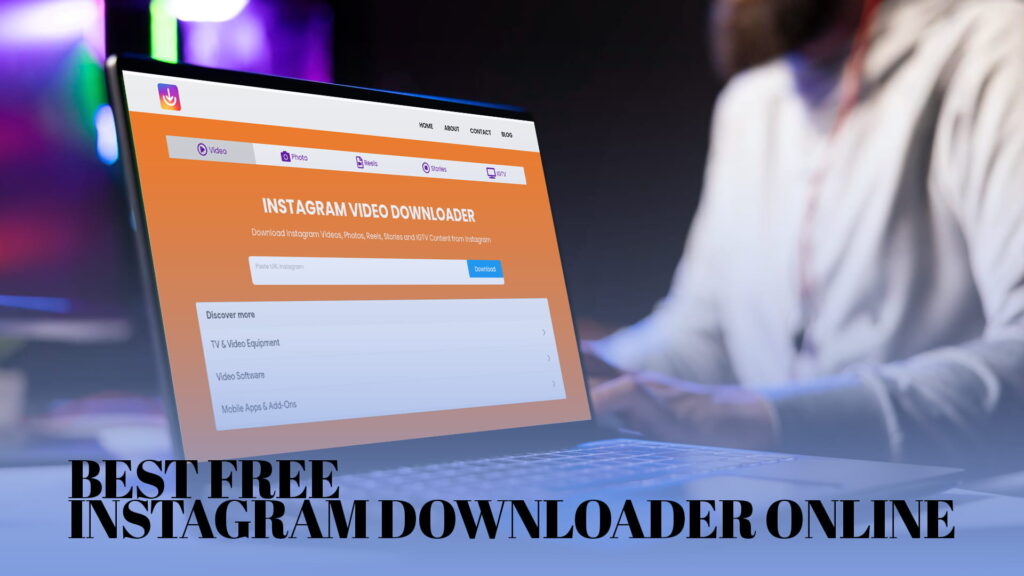
There is something frustrating about finding the perfect video on Instagram and having no way to save it to your phone or computer. Maybe it is a cooking tutorial you want to watch later. Maybe it is a clip a friend sent you, and you know it will disappear in 24 hours. Maybe it is a brand’s product video you want to reference for work.
Instagram does not make it easy to download content. You can save posts inside the app, but that only works while you have internet access. You cannot take that saved post and drop it into a presentation. You cannot watch it offline on a flight. You cannot share it outside of Instagram’s walled garden.
That is the problem IG DOWN was built to solve.
IG DOWN is a free online tool that lets you download Instagram videos, photos, reels, stories, and IGTV content directly to your device. No app to install. No account to create. Just paste a link and download. It works on phones, tablets, and computers — any device with a browser.
This article covers everything you need to know about IG DOWN, why people use it, how to use it, and what makes it better than similar tools out there.
Why People Want to Download Instagram Content
Before getting into the tool itself, it is worth understanding why downloading Instagram content matters to so many people.
You Want to Watch Something Offline
Internet access is not always guaranteed. If you are traveling, commuting, or just sitting somewhere with bad signal, the ability to watch a saved video without streaming makes life easier. Downloading a video in advance means you are not stuck staring at a loading spinner.
The Content Might Disappear
Instagram Stories vanish after 24 hours. Posts can be deleted by the person who uploaded them. Accounts sometimes get taken down or go private. If you come across something you genuinely want to keep — a funny clip, a piece of advice, a memory — waiting is risky. Downloading it immediately means you do not have to hope it is still there tomorrow.
You Need It for Work or a Project
Marketers study competitor content. Designers look at visual trends. Teachers and educators collect reference material. Video editors pull clips for moodboards and inspiration decks. These are all normal, practical uses of downloaded content. Trying to do that inside Instagram is painful. A tool like IG DOWN makes it quick and straightforward.
You Want to Repost or Reshare
Many creators download content to reshare across other platforms with proper credit. A reel that performs well on Instagram might also do well on a website, in a newsletter, or in a presentation. Downloading gives you the flexibility to do that.
Personal Memories
Sometimes the content is just yours. If a friend posts a video from your birthday, or a family member shares a clip from a trip you were on together, you might want that video in your own camera roll. Not just as a bookmark inside an app, but actually saved to your phone, where it lives alongside the rest of your photos.
What Is IG DOWN?
IG DOWN is a free Instagram content downloader that works entirely in your browser. You visit the website, paste an Instagram link, and download the content you want. There is nothing to install and no account required.
It supports all the main types of content you find on Instagram:
- Instagram Videos — standard video posts, whether short clips or longer uploads
- Photos — single images and carousel posts with multiple photos
- Reels — Instagram’s short-form video format
- Stories — both photo and video stories, before they expire
- IGTV — longer-form vertical videos
The tool is designed to be fast. Most downloads process in just a few seconds. The output quality matches the original — you get the full resolution image or the highest available video quality, not a compressed version.
How to Use IG DOWN Step by Step
Using IG DOWN does not require any technical knowledge. The process is straightforward, and it works the same way for every type of content.
Step 1 — Find the Post You Want to Download
Open Instagram and find the video, photo, reel, story, or IGTV content you want to save. This works on both the mobile app and the desktop website.
Step 2 — Copy the Link
On mobile: Tap the three dots (···) on the post and select “Copy Link.” For stories, tap the three dots in the bottom right corner and choose “Copy Link.”
On desktop: Click the three dots on a post and select “Copy Link.” You can also copy the URL directly from your browser’s address bar when viewing a specific post.
Step 3 — Go to IG DOWN
Open your browser and go to IG DOWN. You will see a simple input field on the homepage — that is all you need.
Step 4 — Paste the Link
Click inside the input field and paste the Instagram link you copied. Most browsers let you do this with a long press and “Paste” on mobile, or Ctrl+V on a keyboard.
Step 5 — Click Download
Hit the download button. IG DOWN processes the link and shows you a preview of the content along with a download option.
Step 6 — Save to Your Device
Click the download button to save the file. On phones, it typically goes to your Downloads folder or camera roll depending on your settings. On a computer, it saves to wherever your browser downloads files.
That is it. Six steps, and the whole thing usually takes less than a minute from start to finish.
What Makes IG DOWN Different From Other Downloaders
There are other Instagram downloaders on the internet. Some of them are good. Many of them are not. Here is what sets IG DOWN apart.
It Actually Works
This sounds obvious, but a lot of tools in this category stop working whenever Instagram makes a small change to how links or pages are structured. IG DOWN is regularly maintained and updated to stay functional. The last thing you want is to try saving a story before it expires and find out the downloader is broken.
No Registration, No Login
Many tools ask you to create an account, verify your email, or log in before they let you download anything. IG DOWN does not do that. You show up, paste a link, and download. No sign-up wall, no email confirmation, no premium tier you are being nudged toward.
No Watermarks on Downloads
Some downloaders are free but stamp a watermark on every video or image you download. That makes the file useless for most practical purposes. IG DOWN gives you a clean file — what you download is exactly what was on Instagram, without any added branding or overlay.
Works on Any Device
Whether you are on an iPhone, an Android phone, a Windows laptop, or a Mac, IG DOWN works the same way. There is no separate app for each platform. Because it runs in a browser, it just works wherever you have internet access.
Covers Every Content Type
Some tools only handle one type of content. They download videos but not photos. They work with reels but not stories. IG DOWN handles all of them: videos, photos, reels, stories, and IGTV. You do not need a different tool for each content type.
No Annoying Pop-Ups or Redirects
A lot of free downloaders survive by serving aggressive ads — pop-ups that open new tabs, redirects that take you somewhere else before your download starts, or fake download buttons that are actually ads. IG DOWN keeps the experience clean. You are not fighting your way through a maze of ads just to save a photo.
Fast Download Speeds
The processing time is short. You paste a link and within seconds you have a download option in front of you. IG DOWN is not sitting on slow servers that make you wait half a minute every time.
Downloading Instagram Videos
Instagram videos can be anything from a quick 15-second clip to a multi-minute post. IG DOWN handles all of them.
When you paste a video link, IG DOWN pulls up a preview and gives you the option to download the video at its original quality. You get an MP4 file that plays on any device or media player.
This is useful if you are saving tutorials, product demonstrations, creative inspiration, or any video you want to watch later without relying on an internet connection or the Instagram app.
For videos that are part of a carousel post (where a single post contains both photos and videos), IG DOWN lets you download each piece of media individually.
Downloading Instagram Photos
Photos are one of the most common things people want to save from Instagram — reference shots for design projects, travel inspiration, food photography, artwork, or just pictures that you like and want to keep.
IG DOWN downloads photos at their full resolution. Instagram does compress images somewhat when you upload them, but whatever resolution is available on the platform is what you get in your download. No additional compression on IG DOWN’s end.
For carousel posts with multiple images, each photo is available to download separately.
Downloading Instagram Reels
Reels are Instagram’s answer to TikTok — short, often vertical videos that tend to go viral and get shared around a lot. The problem is that sharing a reel outside of Instagram is not always simple. You can share the link, but that only works if the person has Instagram.
IG DOWN solves this by letting you download the reel as an MP4 file. Once it is on your device, you can share it however you want — over text, via email, on WhatsApp, or anywhere else.
The video quality is preserved. You get the reel at the same resolution it was posted at.
Downloading Instagram Stories
Stories are the most time-sensitive content on Instagram. They disappear after 24 hours. If someone shares something in a story and you want to save it, you have a short window to act.
IG DOWN supports story downloads for both public accounts and in specific supported cases. If the story is still live when you paste the link, IG DOWN can pull it and let you save it. Photo stories save as JPEG files; video stories save as MP4.
The process is the same: copy the story link, paste it into IG DOWN, and download.
Downloading IGTV Content
IGTV is Instagram’s format for longer videos — the kind of in-depth content that does not fit into a standard post or a reel. Interviews, tutorials, vlogs, and similar content often live on IGTV.
These are often high-quality, longer files. IG DOWN handles them the same way it handles any other content type. Paste the link, wait a moment, and download the full video.
Who Uses IG DOWN?
IG DOWN is a general-purpose tool. There is no specific type of person it is designed for — it is useful for a wide range of people with different needs.
Content creators use it to download their own content when they need a backup copy, or to pull reference material for editing and creative work.
Social media managers use it to archive content, study what competitors are posting, or keep copies of campaigns and promotions.
Students and researchers use it to collect visual examples for projects, presentations, or analysis.
Everyday users use it to save funny videos, recipes, workout routines, travel inspiration, and anything else they find on Instagram that they want to keep.
Developers and designers use it to pull reference material when building new projects or exploring visual trends.
The common thread is simple: they all found something on Instagram they wanted to keep, and Instagram’s built-in tools were not enough to do that.
Using IG DOWN Responsibly
Downloading content from Instagram is straightforward with IG DOWN, but it is worth saying clearly: with that ease comes responsibility.
When you download someone else’s content, you should respect their rights as the creator. That means:
- If you share downloaded content, give credit to the original creator.
- Do not repost someone else’s work as if it is your own.
- Do not use downloaded content for commercial purposes without permission from the creator.
- Be mindful of what the original poster intended when they shared their content.
Downloading for personal use — saving a video to watch offline, keeping a photo you liked, archiving your own posts — is completely normal. Downloading to monetize or misrepresent someone else’s work is not.
IG DOWN is a tool. Like any tool, how it is used depends on the person using it.
Common Issues and How to Handle Them
Even a simple tool sometimes runs into small problems. Here are the most common ones and how to deal with them.
The Link Does Not Work
Make sure you copied the full link, not just part of it. Instagram links for posts, reels, and IGTV typically look like https://www.instagram.com/p/... or https://www.instagram.com/reel/.... If you only copied a username or a partial URL, the tool will not be able to find the content.
The Download Button Does Not Appear
Try refreshing the page and pasting the link again. If the post has been deleted or made private since you tried to copy the link, IG DOWN will not be able to access it. Private accounts require the original account holder’s consent and are not accessible through public download tools.
The Video Quality Seems Lower Than Expected
IG DOWN downloads content at the quality it is available on Instagram. If a video appears lower quality than you expected, it may have been uploaded at that resolution, or Instagram may have compressed it on their end. IG DOWN does not add additional compression — what you see is what was on the platform.
The Story Link Is Not Working
Stories expire after 24 hours. If a story is no longer live, the link will not resolve, and IG DOWN cannot retrieve content that no longer exists on Instagram’s servers. Act quickly when saving stories.
Why IG DOWN Is Worth Bookmarking
Tools like this are easy to forget until you need them. Then you are in a rush — a story is about to expire, or you are trying to pull a video for a presentation due tomorrow — and you can not remember where you saved the link.
IG DOWN is worth bookmarking now, before you need it. It is free, it does not require an account, and it takes seconds to use. When you need it, you want it ready.
The use cases are broader than most people expect when they first encounter a tool like this. You might think you just want it to save the occasional video, and then three months later you find yourself using it weekly for work. That tends to happen.
A Quick Look at IG DOWN’s Core Strengths
To bring this together, here is what IG DOWN does well, in plain terms:
It is free. There are no hidden charges, no premium tier you need to pay for to unlock basic features, and no subscription. Every download is free.
It is fast. You can go from finding a post to having it downloaded on your device in under a minute, usually much less.
It works on everything. Videos, photos, reels, stories, IGTV — all covered under one tool, with the same simple process.
It respects your time. No pop-ups, no fake download buttons, no redirects to other sites. You paste, you download, you leave.
It gives you full quality. No watermarks, no compression, no degraded files. The download matches what was on Instagram.
It works everywhere. Your phone, your laptop, any operating system, any browser. If you can access the internet, you can use IG DOWN.
How IG DOWN Compares to Saving Content Inside Instagram
Instagram does have a built-in save feature. You tap the bookmark icon on a post and it gets added to your Saved collection inside the app. A lot of people use this and think it is enough. For some situations, it is. But it has real limitations that become obvious once you try to do anything beyond reading a saved post inside the app.
First, saved posts are tied to your account. If you ever lose access to your account — you forget your password, get locked out, or the account gets hacked — all your saved posts are gone too. There is no way to export them.
Second, saved posts require an internet connection to view. If you are offline, you cannot see anything in your Saved collection. This makes the feature useless for offline viewing, which is one of the most common reasons people want to save content in the first place.
Third, you cannot do anything with a saved post outside of Instagram. You cannot paste it into a document, share it over text, or use it in a video project. The content is locked inside the app.
IG DOWN sidesteps all of these problems. When you download something with IG DOWN, you get an actual file on your device. It is yours. It lives in your camera roll or your downloads folder, not inside an app you may or may not have access to next year. You can do whatever you need to do with it.
Tips for Getting the Most Out of IG DOWN
A few small habits make using any download tool easier and more reliable.
Download stories as soon as you see them. Stories disappear after 24 hours and there is no warning. If you see a story you want to save, do not wait. Open IG DOWN and download it right away.
Copy links from the Instagram app, not from a browser preview. The links generated by the Instagram app are typically cleaner and more reliable than links copied from browser preview cards or embeds on other websites.
Check your download folder after each save. Some browsers, especially on phones, do not always make it obvious where downloads go. Find your Downloads folder early so you know where to look when you save something.
Bookmark IG DOWN on your phone. The homepage on a phone’s browser can be bookmarked just like any website. Keep IG DOWN one tap away so you are not scrambling to find it when you need it quickly.
For carousel posts, check each slide. If a post has multiple images or videos, IG DOWN can handle each one. Do not assume the first item is the only one worth downloading — scroll through the carousel and save the ones you want.
Final Thoughts
Instagram is a platform built around content. But its own tools for saving and sharing that content outside the app are limited. You can only bookmark posts for viewing within the app, and that does not help when you want a file on your device.
IG DOWN fills that gap. It is not a complicated tool, and it does not pretend to be. It does one thing well: it lets you take content from Instagram and save it wherever you want, in whatever format works for you.
If you are someone who spends time on Instagram — for fun, for work, for research, for creativity — there will be moments when you want to save something. IG DOWN makes that easy, free, and fast.
Visit IG DOWN and start downloading today.