
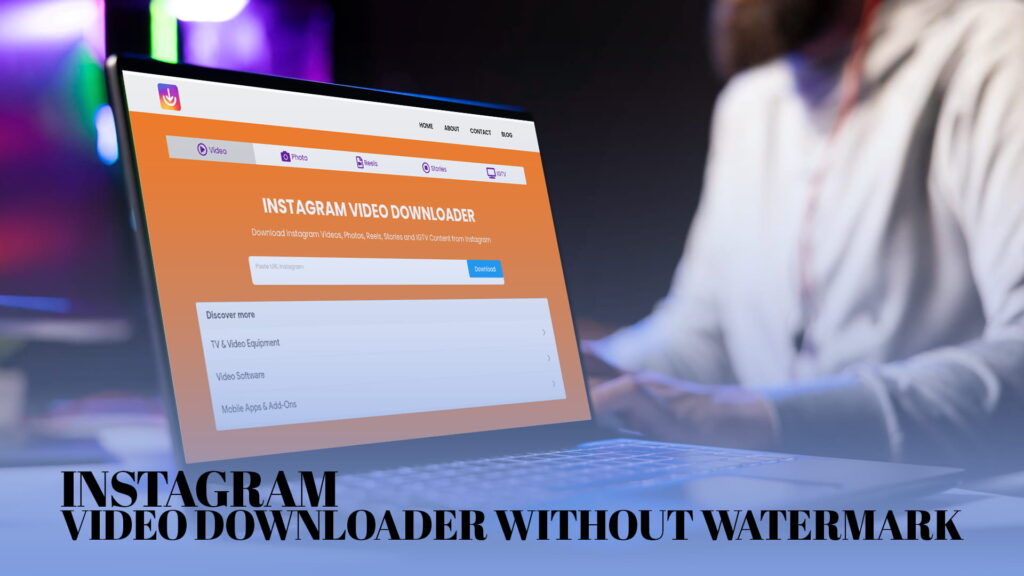
You found a video on Instagram. Maybe it is a cooking tutorial. Maybe it is a motivational clip someone shared, or a reel that made you laugh so hard you want to watch it again offline. You want to save it. The problem? Instagram has no native download button for most content.
So people look for a downloader.
But here is the issue with a lot of downloadersout there — they slap a watermark right in the middle of your saved video. Your clean, beautiful reel now has a logo stamped across it, which defeats the whole purpose.
That is where IG DOWN comes in. IG DOWN, available at IGDown.org, lets you download Instagram videos, photos, reels, stories, and IGTV content completely free — and without any watermark getting in the way.
This guide covers everything: how IG DOWN works, why watermark-free downloading matters, what types of Instagram content you can save, tips for getting the best results, and why IG DOWN is worth using over other options.
Why People Want to Download Instagram Videos
Before getting into how it works, it helps to understand why so many people want to download Instagram content in the first place.
Offline viewing. Not everyone has a stable internet connection all the time. Downloading a video means you can watch it on a plane, in an area with no signal, or just without burning through your mobile data.
Saving memories. People share personal videos on Instagram — birthdays, weddings, graduations. If someone tags you in a video or you see something you want to keep, downloading it means you do not have to worry about it disappearing if the account gets deleted or goes private.
Content creation and inspiration. Designers, video editors, and content creators often save reference material. Downloading a reel or video gives them something to study — how the cuts were made, how the text was timed, how the transitions worked.
Repurposing with permission. If you are a business that collaborates with a creator and they post content you both worked on, you may want a local copy for your own archive or presentations.
Sharing across platforms. Not everyone is on Instagram. Downloading a video means you can share it on WhatsApp, Telegram, or anywhere else — without forcing the other person to open Instagram.
These are real, everyday reasons. And none of them require anything complicated. That is why a tool like IG DOWN exists.
What Is IG DOWN?
IG DOWN is a free online Instagram downloader that works directly in your browser. You do not need to install any app. You do not need to create an account. You do not need to give it your Instagram login.
You just paste a link, click download, and get your file.
It works with all the major types of Instagram content — videos, photos, reels, stories, and IGTV. Whatever you come across on Instagram that you want to save, IG DOWN can handle it.
The biggest thing that separates IG DOWN from a lot of other downloaders is the watermark-free output. When you download a video through IG DOWN, you get the original file. No logo in the corner. No banner at the bottom. No branding that was not there in the first place. Just the video exactly as it was uploaded.
Visit IGDown to use it. It is fast, the interface is clean, and the whole process takes about thirty seconds once you have the link.
How to Download Instagram Videos Without Watermark Using IG DOWN
The process is straightforward. Here is how it works step by step.
Step 1 — Find the Instagram Content You Want to Download
Open Instagram on your phone or browser and find the video, reel, story, photo, or IGTV video you want to save.
Step 2 — Copy the Link
On mobile, tap the three dots on the post and select “Copy Link.” On a browser, you can copy the URL directly from the address bar.
Step 3 — Go to IGDown.org
Open a new tab and go to IGDown. You will see a simple input field waiting for your link.
Step 4 — Paste the Link and Click Download
Paste the link you copied into the input box and click the download button. IG DOWN will process the link in a few seconds.
Step 5 — Save the File
Once the video loads, you will see a download option. Click it and the file saves directly to your device — no watermark, no extra steps.
That is the full process. It is genuinely that quick. No sign-up, no waiting, no hidden steps buried at the end.
Types of Instagram Content You Can Download With IG DOWN
IG DOWN is not limited to just videos. Here is a breakdown of what it supports.
Instagram Videos
Standard video posts on Instagram — the ones that show up in your feed — are fully supported. Whether the video is ten seconds or several minutes long, IG DOWN can pull it down in its original quality.
Instagram Reels
Reels are the short-form vertical videos that Instagram pushed heavily in recent years. They are often the most entertaining content on the platform, and they are also often the hardest to save through Instagram itself. IG DOWN handles reels without any issues, and because it removes the watermark, you get a clean vertical video ready for sharing or offline watching.
Instagram Stories
Stories disappear after twenty-four hours. If someone posts a story you want to keep — whether it is yours or someone else’s from a public account — IG DOWN can save it before it is gone. This is genuinely useful for things like announcements, promotional content, or just moments you do not want to lose to Instagram’s timer.
Instagram Photos
Not just videos. IG DOWN also lets you download photos in their full resolution. If someone posts a photo you want to save locally, you can do it through IG DOWN rather than screenshotting, which compresses quality and adds whatever is on your screen.
IGTV Content
IGTV videos are longer-form videos on Instagram, often running anywhere from a few minutes to an hour. IG DOWN supports IGTV downloads the same way it handles everything else — paste the link, click download, get the file.
Why the “No Watermark” Part Actually Matters
Some people might wonder why it is a big deal. It is just a watermark, right?
Here is why it matters.
When you download something with a third-party watermark on it, you are now distributing someone else’s branding along with the content. If you are a business sharing a video in a presentation, a workshop, or even a client report, having a random downloader logo plastered on the footage looks unprofessional.
If you want to share a clip with someone who was not there — a friend, a family member — they have to see the logo of a tool they never heard of instead of just watching the video cleanly.
Watermarks also break the viewing experience. Your eye gets pulled to the logo instead of the content.
And from a purely practical standpoint — when you save a video for yourself, the file should look exactly like the original. That is what IG DOWN gives you.
Is IG DOWN Free to Use?
Yes, completely. There is no paid tier, no premium plan you have to upgrade to, and no daily download limit that cuts you off.
You go to IG Down, paste your link, and download. That is it. You can do it once or many times — the tool works the same way each time without asking for anything in return.
Some tools start free and then slow down your downloads, show you ads that block the interface, or put paywalls in front of certain content types. IG DOWN does not do any of that. What you see when you visit the site is what you get.
Do You Need an Account to Use IG DOWN?
No. You do not need an Instagram account. You do not need an IG DOWN account. You do not need to connect anything or give any permissions.
The only thing you need is the link to the content you want to download. Public Instagram posts, reels, stories, and IGTV videos are accessible through their URLs, and that is all IG DOWN needs to do its job.
This is intentional. Keeping it simple means there is nothing to set up, nothing to forget, and no personal data being handed over.
What Devices Work With IG DOWN?
IG DOWN is a web-based tool, so it works on any device with a browser.
On Android: Open the Instagram app, copy the link, then open a browser and go to IGDown.org. Paste and download. The file saves to your downloads folder.
On iPhone: Copy the link from Instagram, then open Safari or any browser and visit IGDown.org. Once you download, the file goes to your Files app or camera roll depending on the content type.
On PC or Mac: Copy the URL directly from Instagram’s website, go to IGDown.org in any browser, paste and download. The file saves wherever your browser puts downloads.
There is no installation, no app store visit, no device-specific setup. If you can browse the web, you can use IG DOWN.
Tips for Getting the Best Results With IG DOWN
Here are a few things worth knowing before you start downloading.
Download from public accounts. IG DOWN works with public Instagram content. Private accounts require you to follow them and be logged in on Instagram to view their content. The tool cannot bypass privacy settings, and that is by design.
Use the direct post link. When you copy a link from Instagram, make sure it is the link to the specific post, reel, or story — not just the profile page. A post URL usually looks like instagram.com/p/[code] or instagram.com/reel/[code]. That kind of link is what IG DOWN needs.
For Stories, act before they expire. Stories only last twenty-four hours. If you want to save one, do it before it disappears. IG DOWN cannot recover deleted or expired stories.
Check your download folder. On some devices, downloaded files go to a general “Downloads” folder rather than directly to your gallery or photos app. If you download a video and cannot find it, check there first.
Do not share others’ content without permission. Just because you can download something does not mean you have the right to repost it, sell it, or use it commercially. Respect the original creator.
How IG DOWN Compares to Other Instagram Downloaders
There are other tools online that let you download Instagram content. Here is how IG DOWN stands apart.
No watermark. Many free downloaders add their own branding to downloaded videos. IG DOWN gives you the original file without touching it.
No app required. Some downloaders make you install a browser extension or a mobile app before you can use them. IG DOWN runs entirely in your browser. Nothing to install.
No account required. Some tools ask you to connect your Instagram account or create a profile. IG DOWN skips all of that. You are anonymous and in control.
Supports multiple content types. Not every downloader handles stories, IGTV, and photos in addition to regular videos. IG DOWN covers all of them.
Fast processing. Nobody wants to wait two minutes for a short video to process. IG DOWN is quick. The link-to-download cycle is usually done in well under a minute.
Clean, ad-light interface. Some free tools cover their entire page with pop-ups and redirect ads that open new tabs when you click anywhere. IG DOWN keeps the experience clean so you can actually use it without fighting the interface.
Common Questions About Downloading Instagram Content
Can I download Instagram videos on my phone?
Yes. The process works the same on mobile as on desktop. Open IGDown.org in your phone’s browser, paste the link, and download. It works on both Android and iPhone.
Will the video quality be the same as the original?
IG DOWN downloads the video in the highest available quality from Instagram’s servers. So what you get is as close to the original as possible.
Can I download someone else’s private video?
No. IG DOWN only works with publicly accessible content. Private posts are not accessible without the account owner’s login, and IG DOWN does not ask for or store any Instagram credentials.
Is there a limit to how many videos I can download?
No daily limit, no usage cap. You can use IG DOWN as many times as you need.
Does IG DOWN work with Instagram Highlights?
Instagram Highlights are a collection of saved stories. If the highlight is from a public account, IG DOWN can usually handle the individual story links within it.
Using IG DOWN Responsibly
Downloading content is easy. Using it responsibly takes a bit more thought.
If you are saving content for personal use — watching offline, keeping a memory, studying a technique — that is generally fine and is what most people do.
If you are a content creator who wants to reshare someone else’s video, the right move is to ask for permission first. A lot of creators are happy to have their content shared if you tag them and give proper credit. But resharing without asking can damage relationships and sometimes runs into copyright issues.
For businesses, the line is clearer. If you want to use a creator’s content commercially — in an ad, a product page, a paid campaign — you need a formal agreement. Downloading the video through a tool like IG DOWN is just the start of that process, not the end of it.
Used sensibly, IG DOWN is a useful, practical tool. Like any tool, how you use it is up to you.
Why IG Down Is the Right Place to Start
There are plenty of downloaders on the internet. What makes IGDown worth your time specifically?
It handles everything you might want to save from Instagram. Videos, reels, stories, photos, IGTV — all covered under one URL. You do not need to find separate tools for different content types.
It does not leave any trace on your file. No watermark, no re-encoding, no quality loss. The file you save is the file as it was posted.
It is free and requires nothing from you except the link. No email address. No account. No payment. Just the link.
And it is fast. In a world where a lot of web tools feel slow and cluttered, IG DOWN keeps it simple and gets out of your way.
If you want to save Instagram content, visit IGDown.org. Paste your link. Download your file. Done.
Final Thoughts
Instagram does not make it easy to save content. There is no official download button on most posts, and the few workarounds the platform offers — like saving to Collections — only work within Instagram itself. The moment you want something on your device, you need a different solution.
IG DOWN fills that gap cleanly. It works for every major Instagram content type, runs in your browser without any installation, and delivers your downloaded file without a watermark on it. That combination — no setup, no watermark, no cost — is what makes it useful rather than just convenient.
If you have been frustrated by other downloaders that slow down, add logos to your videos, or push you toward paid plans, IG DOWN is worth trying. Visit IGDown.org and see how simple it actually is.