
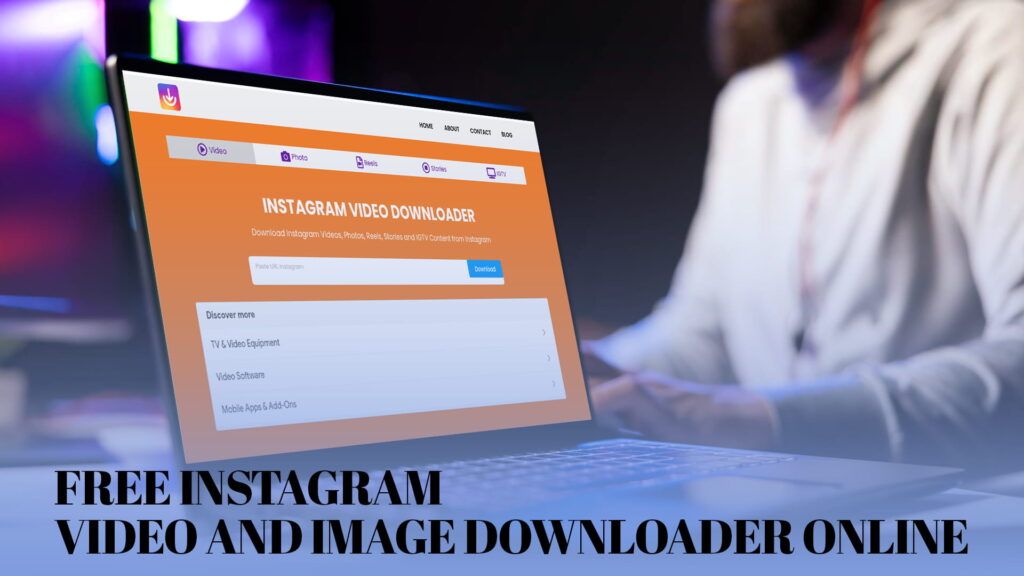
If you have ever seen a beautiful photo on Instagram, a funny Reel, or an inspiring video that you just wanted to save on your phone or computer — you already know the problem. Instagram does not give you a built-in download button. That is where IG DOWN comes in. It is a completely free, easy-to-use, online Instagram downloader that lets you save Instagram videos, photos, Reels, Stories, and IGTV content in just a few seconds. No app install. No sign-up. No cost. Just visit IGDown.org and start downloading right away.
In this article, we will walk you through everything you need to know about IG DOWN — what it is, how it works, what you can download, why it is better than other tools, and how to use it step by step. Whether you are a student, a content creator, a social media manager, or just someone who loves saving memories, this guide is written for you in simple and easy-to-understand language.
What Is IG DOWN?
IG DOWN is a free online tool that allows anyone to download content from Instagram without needing to install any software, create an account, or pay a single penny. It is available at IGDown and works directly from your web browser — whether you are on your phone, tablet, laptop, or desktop computer.
With IG DOWN, you can download:
- Instagram Videos — Any public video post from Instagram
- Instagram Photos — Single or multiple images from any public post
- Instagram Reels — Short, entertaining video clips
- Instagram Stories — Time-limited story content from public accounts
- IGTV Content — Long-form videos posted on Instagram TV
IG DOWN is designed to be fast, clean, and simple. You do not need any technical knowledge to use it. If you can copy and paste a link, you can use IG DOWN.
Why Do People Need an Instagram Downloader?
Before we dive into how IG DOWN works, let us talk about why people need a tool like this in the first place.
1. Instagram Has No Official Download Option
Instagram is a social media platform built for sharing — but not necessarily for saving. Unlike YouTube, which offers a download feature for offline viewing in its app, Instagram does not provide any built-in way to save videos or photos to your device. If you want to save content, you are on your own — unless you use a tool like IG DOWN.
2. People Want to Keep Their Memories
Many people post videos and photos on Instagram and later want to download them for safekeeping. Maybe you lost your phone, deleted the original file, or just want a backup. IG DOWN makes this super easy.
3. Content Creators Need Repurposing Tools
Businesses and content creators often need to repurpose Instagram content for other platforms — like using a Reel on a website, sharing a video in a presentation, or reposting content on another channel (with permission, of course). IG DOWN helps them do this quickly.
4. Offline Viewing
Not everyone has unlimited internet access. Downloading a video or photo means you can watch or view it later — even without an internet connection. This is especially helpful for people in areas with slow or limited data.
5. Educational and Research Purposes
Journalists, researchers, and students sometimes need to save Instagram content for study, reporting, or documentation. IG DOWN gives them a reliable way to do this without complicated tools.
What Can You Download with IG DOWN?
One of the biggest strengths of IG DOWN is how many different types of Instagram content it supports. Let us go through each one in detail.
Download Instagram Videos
Instagram is full of amazing video content — from cooking tutorials to travel vlogs, workout videos to motivational speeches. With IG DOWN, you can download any public Instagram video in high quality. Just copy the link of the video post, paste it into IGDown.org, and hit download. It is that simple.
You can save the video directly to your gallery, computer, or any folder of your choice. The download process is fast, and the quality is preserved so you get the best version of the video.
Download Instagram Photos
Photos are the heart of Instagram. Stunning landscapes, beautiful portraits, food photography, fashion shoots — Instagram is a visual platform like no other. With IG DOWN, you can save any public Instagram photo to your device in its original quality.
This includes both single-image posts and carousel posts (posts with multiple photos). IG DOWN handles them all without any fuss.
Download Instagram Reels
Instagram Reels are short videos — usually between 15 seconds and 90 seconds — and they are one of the most popular types of content on the platform right now. Reels go viral quickly and are often packed with entertaining, funny, or educational content.
With IG DOWN at IGDown.org, you can download Instagram Reels easily. Copy the Reel link, paste it into the tool, and download your video in seconds. No watermark, no signup required.
Download Instagram Stories
Instagram Stories disappear after 24 hours — which makes them tricky to save. But with IG DOWN, you can download Stories from public Instagram accounts before they vanish.
Whether it is a short video clip, a photo, or a boomerang, IG DOWN lets you capture and save Stories with ease. This is great for saving content you want to revisit later, or for keeping memories that would otherwise be lost.
Download IGTV Content
IGTV is Instagram’s long-form video platform, where creators post videos that are longer than typical Instagram posts — sometimes up to an hour long. These videos often contain in-depth tutorials, interviews, documentaries, and more.
With IG DOWN, you can download IGTV videos just as easily as regular Instagram content. Paste the link, click download, and you are done.
How to Use IG DOWN — Step-by-Step Guide
Using IG DOWN is one of the easiest things you will ever do online. Here is a simple, step-by-step guide to get you started.
Step 1: Find the Instagram Content You Want to Download
Open Instagram — whether on your phone app or through a web browser. Find the video, photo, Reel, Story, or IGTV content you want to download.
Step 2: Copy the Link
On the Instagram app (mobile):
- Tap the three dots (⋮) at the top right of the post
- Tap “Copy Link”
On the Instagram website (desktop):
- Click the three dots on the post
- Click “Copy Link”
For Stories:
- Open the Story and tap the three dots
- Select “Copy Link”
Step 3: Open IG DOWN
Open your web browser and go to IGDown. You will see a clean, simple homepage with a text box where you can paste the link.
Step 4: Paste the Link
Click on the input box on the IGDown.org homepage and paste the Instagram link you copied in Step 2. You can use Ctrl+V (Windows) or Cmd+V (Mac) to paste.
Step 5: Click the Download Button
After pasting the link, click the “Download” button. IG DOWN will process the link in just a few seconds.
Step 6: Save the File to Your Device
Once the content loads, you will see a preview and a download option. Click the download button and save the file to your device — phone, tablet, or computer. Done!
It really is that easy. The whole process takes less than a minute from start to finish.
Why Choose IG DOWN Over Other Instagram Downloaders?
There are many Instagram downloader tools available online, but IG DOWN stands out for several important reasons.
1. Completely Free
Many online downloaders either charge a subscription fee, show aggressive advertisements, or require a premium membership to access all features. IG DOWN is 100% free — no hidden fees, no premium plans, no paywalls. You get full access to all features at no cost.
2. No Registration or Login Required
Some download tools ask you to create an account or log in before you can download anything. This is not only annoying — it also raises privacy concerns. With IG DOWN, you do not need to sign up, log in, or provide any personal information. Just visit the site and start downloading.
3. No App or Software Download Required
You do not need to install anything on your device. No apps, no browser extensions, no software downloads. IG DOWN works entirely in your web browser, which means it is always up to date and never takes up space on your device.
4. Works on All Devices
Whether you are using an iPhone, an Android phone, a Windows PC, a Mac, a tablet, or a Chromebook — IG DOWN works on all of them. Since it is browser-based, it automatically adapts to any screen size or operating system.
5. Fast and Efficient
IG DOWN is built for speed. Most downloads are processed in just a few seconds. You do not have to wait long — just paste the link and get your file almost instantly.
6. High-Quality Downloads
Nobody wants a blurry or low-quality video. IG DOWN provides downloads in the best available quality so your saved content looks just as good as the original.
7. Safe and Secure
Safety is a top priority for IG DOWN. The tool does not ask for your Instagram credentials, does not store your data, and does not install anything on your device. It is a clean, safe tool that respects your privacy.
8. Supports Multiple Content Types
Many downloaders only work for videos or only for photos. IG DOWN is an all-in-one solution that handles videos, photos, Reels, Stories, and IGTV — all in one place.
9. No Watermark
Some downloaders add ugly watermarks to your downloaded content. IG DOWN does not add any watermarks to your files. What you download is clean and ready to use.
10. Simple and Clean Interface
IG DOWN has a user-friendly design that is easy to navigate even for beginners. There is no clutter, no confusing menus, and no overwhelming options. Just a simple tool that works.
Who Can Benefit from Using IG DOWN?
IG DOWN is useful for a wide range of people. Here are some of the groups that benefit the most:
Everyday Instagram Users
If you use Instagram regularly, you know how often you come across something you wish you could save. A funny Reel, a recipe video, a beautiful travel photo — IG DOWN lets you keep all of it.
Content Creators and Influencers
Many Instagram creators want to save their own content for use on other platforms — YouTube, TikTok, their personal website, or in email newsletters. IG DOWN makes this seamless and quick.
Social Media Managers
Agencies and marketing teams often need to archive posts, track competitor content, or repurpose materials for clients. IG DOWN is a handy tool for these professionals.
Students and Researchers
Students who study media, social trends, or digital marketing may need to save Instagram content for analysis. Researchers who study social platforms may also find IG DOWN useful for collecting data and examples.
Journalists and Bloggers
When covering news stories or writing blog posts, journalists and bloggers sometimes need to reference or include Instagram content. IG DOWN helps them save the relevant material easily.
Small Business Owners
Small business owners who use Instagram for marketing can save their own content for repurposing or save inspiration from other brands for reference and ideas.
Tips for Getting the Best Experience with IG DOWN
Here are some helpful tips to make sure you have the best possible experience when using IG DOWN at IGDown.org:
Always Use Public Instagram Accounts
IG DOWN works with public Instagram content. If an account is set to private, the tool will not be able to access its posts. Make sure the account you are trying to download from is public.
Double-Check the Link Before Pasting
Make sure you have copied the correct link. A wrong or incomplete link will not work. Go back to the Instagram post and copy the link again if needed.
Use a Stable Internet Connection
For faster downloads, use a stable Wi-Fi or mobile data connection. A slow connection may cause the download to take longer or fail.
Download Responsibly
Always respect copyright and content ownership. IG DOWN is meant for personal use, offline viewing, and content you have the right to download. Do not use downloaded content for commercial purposes without the creator’s permission.
Keep Your Browser Updated
IG DOWN works best on modern, updated web browsers like Google Chrome, Firefox, Safari, or Microsoft Edge. If you are having trouble, try updating your browser.
Is IG DOWN Safe to Use?
Absolutely. IG DOWN is designed with user safety in mind. Here is why you can trust it:
- No Personal Information Required — You never have to share your name, email address, or Instagram password
- No Malware or Viruses — The tool is clean and does not download anything harmful to your device
- No Data Collection — IG DOWN does not store or sell your data
- Secure Browsing — The website uses HTTPS, which means your connection is encrypted and secure
- No Hidden Permissions — The tool does not ask for access to your social media accounts, contacts, or files
Many online downloader tools come with risks — pop-up ads, suspicious redirects, or even malware. IG DOWN keeps things clean and professional, so you can download with confidence.
The Importance of Using Instagram Content Responsibly
While IG DOWN makes it easy to download Instagram content, it is important to use this tool responsibly and ethically.
Respect Intellectual Property
Every photo, video, Reel, and Story on Instagram belongs to someone. Even if a post is publicly visible, the creator owns the copyright to their content. Downloading content for personal use is generally acceptable, but using someone else’s work for commercial purposes — without their permission — is not.
Give Credit When Sharing
If you share downloaded content online, always give credit to the original creator. Tag them, mention their username, or include a caption that attributes the work to them. This is respectful and appreciated by content creators.
Do Not Redistribute Without Permission
Downloading content and re-uploading it as your own is considered plagiarism and may violate copyright laws. Always ask for permission before redistributing someone else’s work.
Use for Personal and Educational Purposes
The safest and most ethical way to use IG DOWN is for personal enjoyment — saving your own content, keeping a memory, or watching a video offline. Educational and research use is also generally acceptable, as long as you are not profiting from it.
How IG DOWN Compares to Other Methods of Saving Instagram Content
You might be wondering — are there other ways to save Instagram content? Let us compare IG DOWN to the alternatives.
Screenshot or Screen Recording
Many people use their phone’s screenshot or screen recording function to capture Instagram content. While this works, the quality is often reduced — especially for videos. Screenshots of photos can be lower resolution, and screen-recorded videos can look choppy or low quality. IG DOWN delivers the original quality without any of these downsides.
Third-Party Instagram Apps
There are many apps in app stores that claim to download Instagram content. However, many of these apps are risky — they may contain ads, collect your data, or require you to log into your Instagram account (which is against Instagram’s terms of service). IG DOWN requires no login and no installation, making it a safer and more convenient option.
Instagram’s “Save” Feature
Instagram has a built-in “Save” feature that lets you bookmark posts within the app. However, saved posts are only viewable inside the Instagram app — you cannot access them offline, and they disappear if the original post is deleted. IG DOWN actually downloads the file to your device, giving you full offline access.
Other Online Downloaders
There are other online Instagram downloaders out there, but many of them are cluttered with ads, slow to process, or unreliable. Some add watermarks to your downloads. IG DOWN offers a cleaner, faster, and more reliable experience — and it is completely free.
Frequently Supported Formats and Quality
When you download content through IG DOWN at IGDown, here is what you can expect:
- Videos are downloaded in MP4 format — the most widely supported video format across all devices
- Photos are downloaded in JPG or PNG format at original resolution
- Reels are downloaded in MP4 format, usually in HD quality
- Stories are downloaded in either MP4 (for video stories) or JPG (for photo stories)
- IGTV content is downloaded in MP4 format
All downloads maintain as close to the original quality as possible, so you can enjoy your saved content at its best.
Final Thoughts — IG DOWN Is the Best Free Instagram Downloader Online
If you are looking for a fast, free, safe, and easy way to download Instagram content — look no further than IG DOWN. Whether you want to save a stunning photo, keep a Reel you love, archive your own Stories, or download an IGTV video for offline viewing, IG DOWN has you covered.
With no registration, no app installation, no hidden fees, and no watermarks, IG DOWN stands out as the most user-friendly Instagram downloader available online today. It works on every device, supports all types of Instagram content, and delivers high-quality downloads in seconds.
Thousands of users around the world trust IG DOWN every day to help them save and enjoy Instagram content on their own terms. Now it is your turn.
Visit IGDown.org today and start downloading for free. It is fast, it is free, and it just works.